Collection Settings
Introduction
From the Collections Settings tab, you can:
-
select the document properties to appear in document view
-
view and modify the collection security (see Manage Project Security).
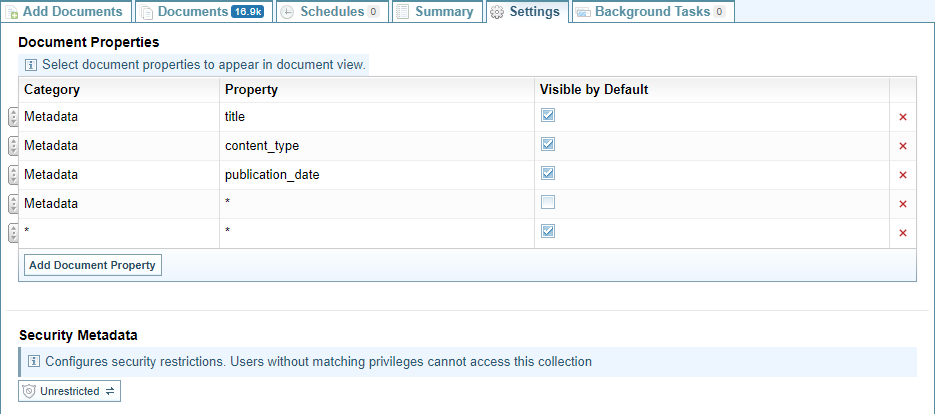
Set Document Properties
To modify the Document Properties to be displayed when viewing documents, you can:
-
Select the button to add a Document Property to the list
-
Select the checkbox
 to include the document property or unselect
  to exclude the document.
 -
Select the Red cross
 to remove an item
 -
Click and drag the move icon
 to change the order of the document properties.
Add a Document Property
-
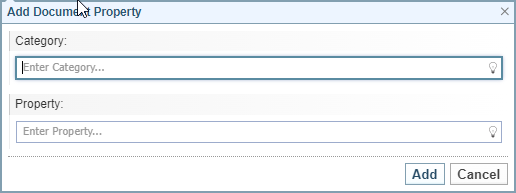
Select the button to add a Document Property to the list of Document Properties displayed.
Result: The Add Document Property dialog is displayed.
-
Click the lightbulb
 and select the Category required.
 -
Click the lightbulb
and select the property required or enter the wildcard * to include all properties. -
Select to add the property.