View Harvest Jobs
Harvest Jobs
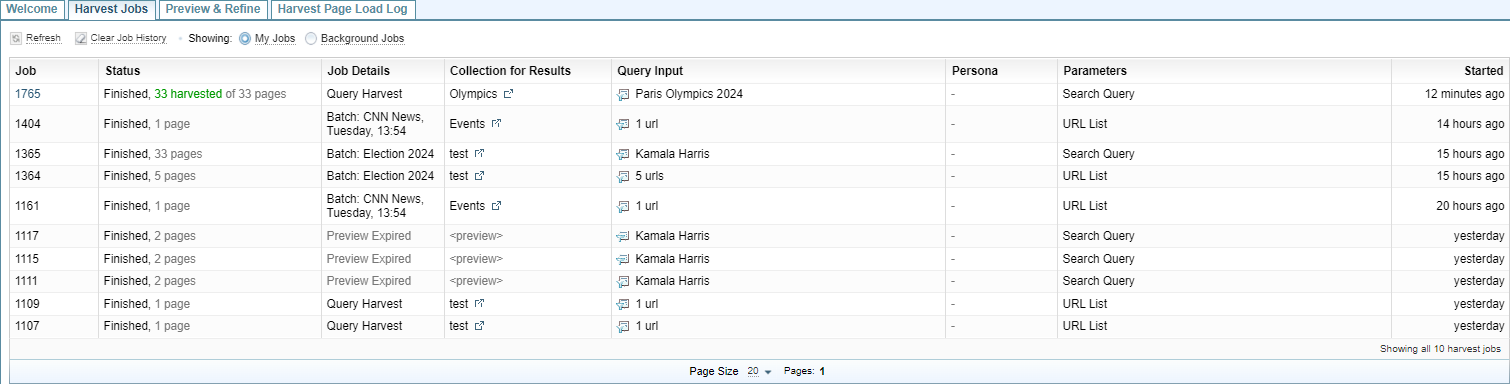
Select Harvester > Harvest Jobs to display:
-
a list of harvest jobs completed, or
List of Harvest Jobs
The list of Harvest Jobs allows you to:
 My Jobs (default) My Jobs (default) |
Displays the status of the current user's harvest jobs. |
 Background jobs Background jobs |
Displays the status of scheduled harvest jobs. |
 Refresh Refresh |
Updates the display to show the latest status. |
 Clear Job History Clear Job History |
Deletes the records of past harvest jobs. |
Job:   |
Displays the job number. If the job is in progress, you can:
|
Status:  |
Summarises the status of the harvest job. Text in green indicates the job is in progress. |
[Collection Name]  |
Opens the Collection Documents where the harvest results where saved in a new browser tab. |
 [Query Name] [Query Name] |
Open the harvest query in the Query tab so you can run the query again. |
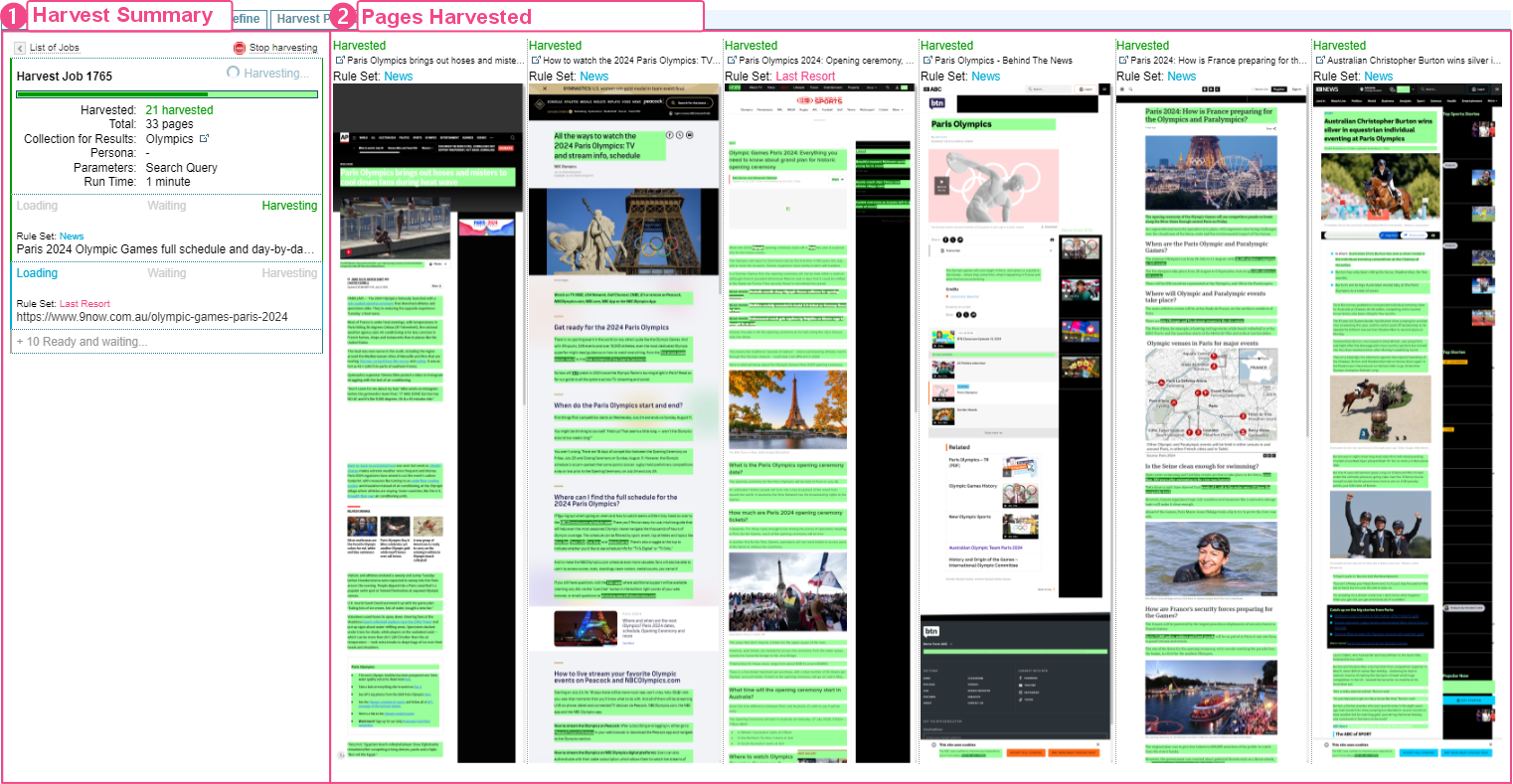
Harvest Job in Progress
When you run a harvest Query from the Query tab by selecting the button, the Harvest Job tab is displayed showing the progress of the Harvest Job.
-
Harvest Summary: Summarises the harvest progress.
-
Pages Harvested: displays each page harvested, with the page title, the Rule Set applied to the harvest and the green highlights showing the elements included in the harvest. Each new page being harvested is added to the left, with each page moving to the right.
Harvest Summary
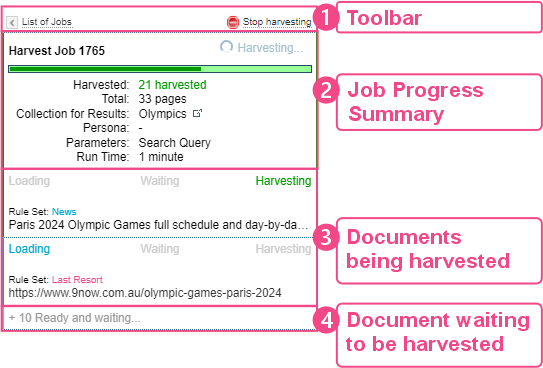
During a Harvest, the harvest summary displays the progress. You can:
-
Stop the harvest job in progress, by selecting
Stop Harvesting. -
View the List of past harvest jobs by selecting
 List of Jobs.
Stop Harvest
To stop a harvest job in progress, select Stop Harvesting.