View the Harvester Logs
Select the Harvester > Harvest Page Load Log tab to view a log of each page harvested.
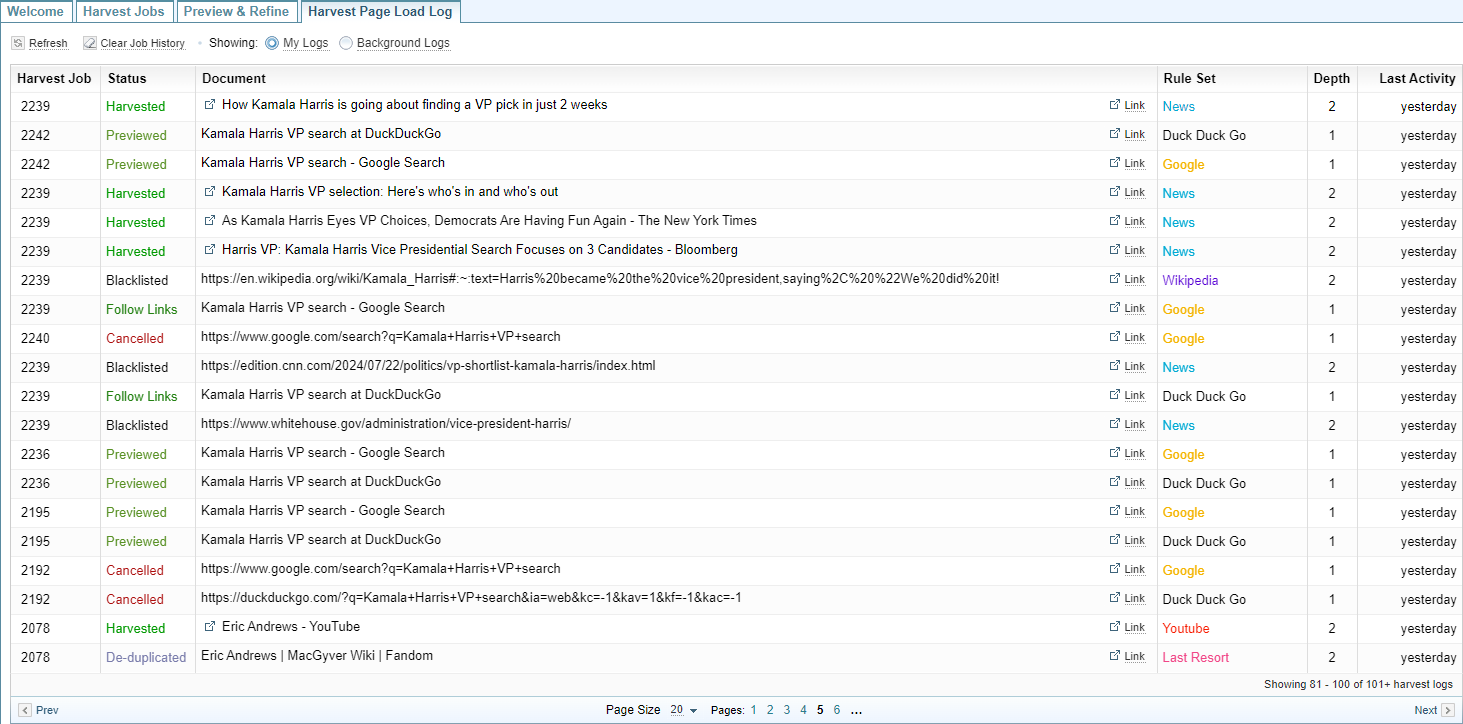
The list of Harvest Logs allows you to:
 My Logs (default) My Logs (default) |
Displays the current user's harvest logs. |
 Background logs Background logs |
Displays the harvest logs for scheduled harvest jobs. |
 Refresh Refresh |
Updates the display to show the latest logs. |
 Clear Log History Clear Log History |
Deletes the records of past harvest logs. |
| Job: |
Displays the job number. |
| Status: | Summarises the status of the page harvest. |
 [Document Title] [Document Title] |
Opens the Document in the Documents Pane. |
|
|
Opens the original web page in a new browser tab. |
| Ruleset | Identifies the Ruleset applied to harvesting the page. |
|
Depth |
Identifies the depth level of the page in the harvester job. |
|
Last Activity |
Displays when the page was harvested. |