Import a Project
Importing a project allows you to get the documents, collections, networks, and configurations of the project into your local network.
To import a project:
- On the Sintelix Home screen, click Import a project.
- Click Choose file, locate and select the project you want to import, then click Open.
Note that Sintelix projects have the file extension, .sxproj.
Project files over 2GB may encounter issues being imported due to system limitations.
Try exporting a Project File with the configuration files only to get a smaller Project File. You can then ingest the files into the imported project.
- Click Upload.
-
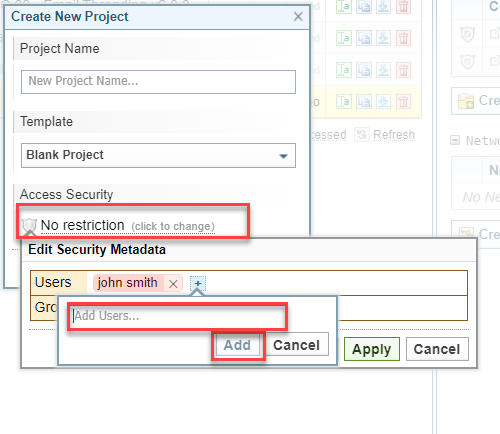
To restrict access to the project to one or more users or groups, do the following:
-
Click No restriction.
-
Click the plus symbol beside User / Group.
-
Type the name then click Add.
-
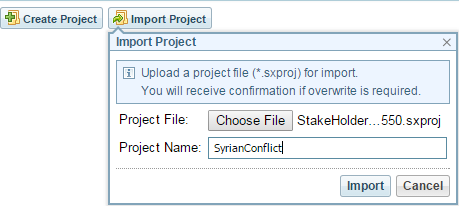
You can also click Open a Project at the top left of the screen, then click Import Project ; or click Browse all projects, then, under the list of projects, click Import a Project.
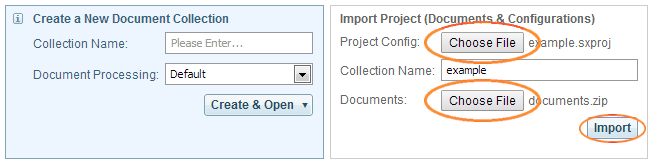
Details about the project are displayed.
- Click Import.
- To import the project later click Import Later. The file will be kept until your session expires (that is, until there has been 30 minutes of inactivity). When you are ready to import the project click Import then click Import again.
- To cancel the import click Abort then click OK.
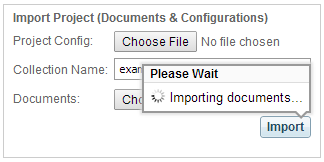
The imported project is opened.