API Web Services
Sintelix provides JSON-based web services API for all critical actions available. The web services are optimised to use the HTTP protocol to exchange data rapidly with other systems.

Viewing and testing a service
To view or test a service:
- Log in to Sintelix as an administrator.
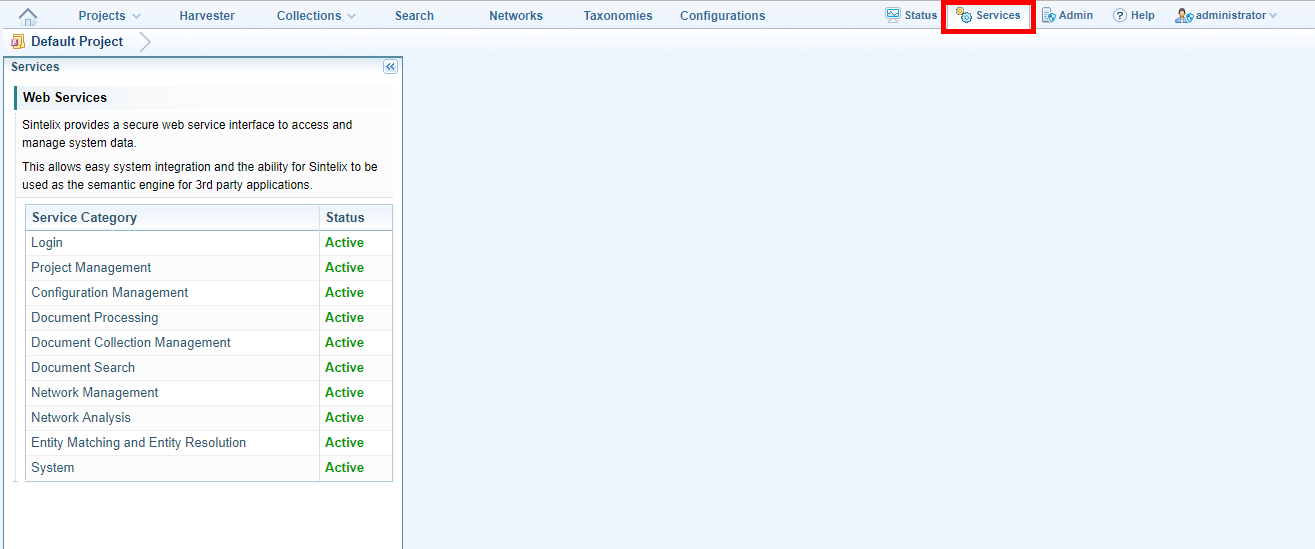
- Click the Services tab.
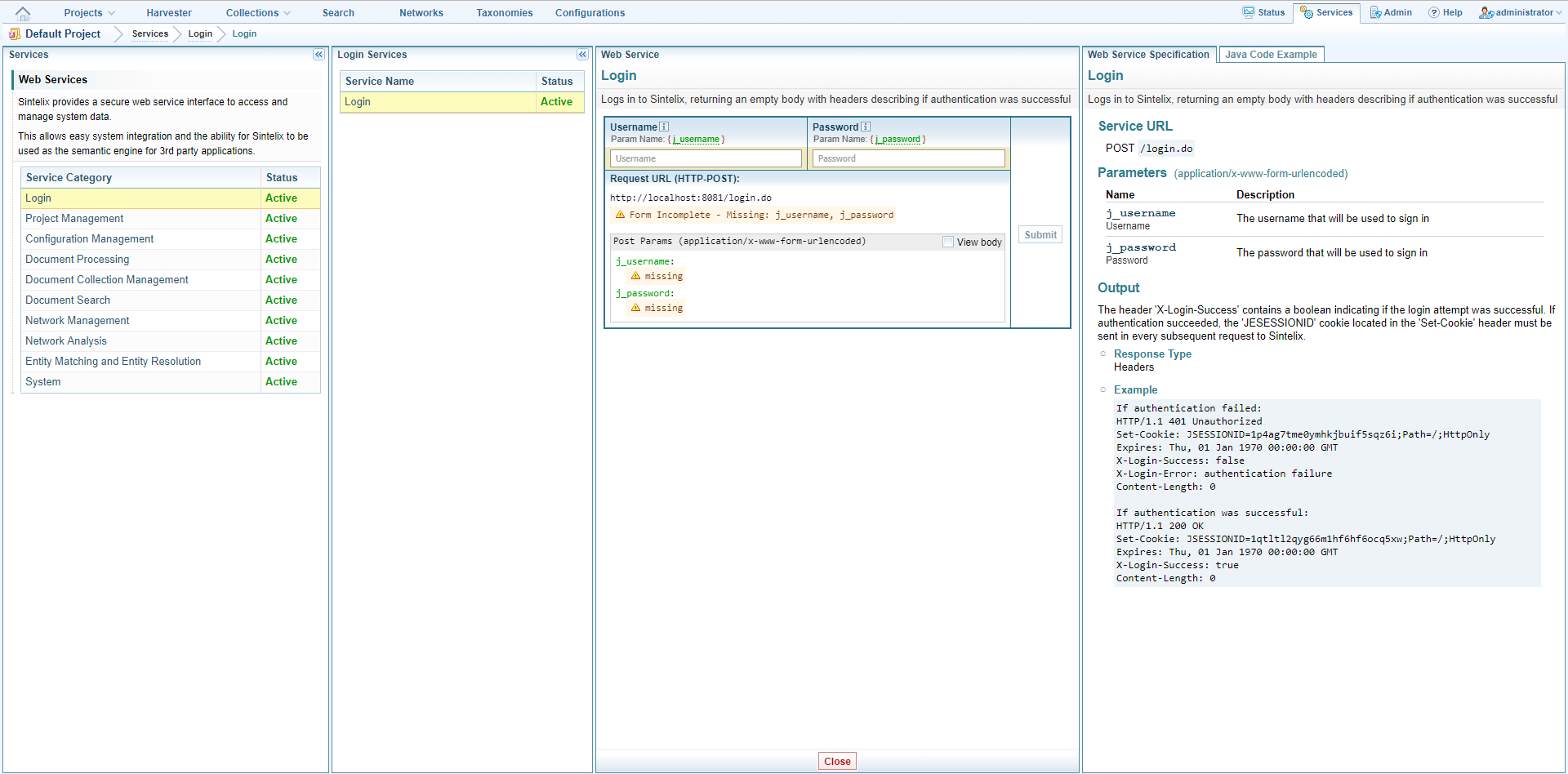
- Click the category that contains the service you want to view or test.
- Click on the name of the service.
- Run any tests you require.
- To close the tabs related to the service click Close.
The service categories are listed.
Available services are listed.
Details are displayed in the tabs on the right.
List of web services
|
Service Category |
Services |
Description |
|---|---|---|
|
Login |
Login |
Logs in to Sintelix and returns an empty body with headers describing if authentication was successful. |
|
Project Management |
List Projects |
Lists all projects. |
|
|
Create Project |
Creates a project. |
|
|
Get Project By ID |
Gets a project by ID and retrieves information about it. |
|
|
Find Project By Name |
Finds a project by name and retrieves information about it. |
|
|
Copy Project |
Copies a project. |
|
|
Rename Project |
Renames a project. |
|
|
Delete Project |
Deletes a project. |
|
|
Export Project |
Exports a project. |
|
|
Import Project |
Imports a project. |
|
Configuration Management |
Get Configuration Types |
Lists configuration types. |
|
|
List Configurations |
Lists configurations of a specified type. |
|
|
Get Configuration by ID |
Gets a configuration by ID and retrieves information about it. |
|
|
Rename Configuration |
Renames a user-created or modified configuration (not a system default configuration). |
|
|
Delete Configuration |
Deletes a configuration. |
|
|
Copy Configuration |
Copies a configuration into the specified project. |
|
|
Export Configuration |
Exports a configuration. |
|
|
Export All Configurations |
Exports all configurations in a project. |
|
|
Import Configuration |
Imports a configuration. |
|
|
Import All Configurations |
Imports all configurations in a .sxcfg file. |
|
Document Processing |
Document Processing : File Upload |
Generates alerts when uploaded files meet alert conditions. |
|
|
Document Processing : Server Library |
Generates alerts when uploaded files meet alert conditions. |
|
|
Document Processing : Submit URL |
Generates alerts when submitted URLs meet alert conditions. |
|
Document Collection Management |
List Collections |
Lists all document collections in a project. |
|
|
Create Collection |
Creates a document collection. |
|
|
Get Collection By ID |
Gets a collection by ID and retrieves information about it. |
|
|
Find Collection By Name |
Finds a collection by name and retrieves information about it. |
|
|
Copy Collection |
Copies a collection. |
|
|
Rename Collection |
Renames a collection. |
|
|
Delete Collection |
Deletes a collection. |
|
|
Export Collection |
Exports the documents in a collection as a zip file. |
|
|
Set Default Ingestion |
Sets the default Ingestion configuration for a collection |
|
|
List Documents |
Lists documents in a collection. |
|
|
Add Documents : File Upload |
Uploads a document to a collection. |
|
|
Add Documents : Server Library |
Adds documents in a server library to a collection. |
|
|
Add Documents: Submit URLs |
Adds documents to a collection by loading the content of specified URLs. |
|
|
Get Document |
Retrieves the Sintelix-processed XML file for the specified document. |
|
|
Get Original Document |
Retrieves the original source document, if available. |
|
|
Delete Document |
Deletes a document in a collection. |
|
|
Delete All Documents |
Deletes all documents in a collection. |
|
|
Reprocess Documents |
Reprocesses specified documents in a collection. |
|
|
Reprocess All Documents |
Reprocesses all documents in a collection. |
|
|
Prune Old Documents |
Deletes documents in a collection until a specified number remain and/or deletes documents that exceed the maximum specified age. |
|
Document Search |
Document Search |
Searches for documents that match the specified conditions. |
|
Network Management |
List Networks |
Lists all networks in a project. |
|
|
Create Network |
Creates a network from one or more collections and optionally performs clustering on the network. |
|
|
Get Network By ID |
Gets a network by ID and retrieves information about it. |
|
|
Find Network By Name |
Finds a network by name and retrieves information about it. |
|
|
Copy Network |
Copies a network. |
|
|
Rename Network |
Renames a network. |
|
|
Delete Network |
Deletes a network. |
|
|
Export Network |
Exports a network as an XML file. |
|
|
Import Network |
Imports a network from an XML file. |
|
|
Export Node Table |
Exports network table view data as text-based data table such as CSV |
|
|
Multifile Network Export |
Exports a network as a zip of CSV files |
|
Network Analysis |
List Node Types |
Lists all the nodes types within a specified level of a network. |
|
|
List Link Types |
Lists all the link types in a network. |
|
|
Get Graph Schema |
Retrieves the schema of a network. |
|
|
Get Node Counts |
Counts the number of nodes of each specified node type in a network. |
|
|
Get Link Counts |
Counts the number of links of each specified node type in a network |
|
|
Get Node By Type |
Retrieves nodes of the specified node type in a network. |
|
|
Get Links By Type |
Retrieves links of the specified link type in a network. |
|
|
Get Nodes By IDs |
Gets nodes by ID and retrieves information about them. |
|
|
Get Links By IDs |
Gets links by ID and retrieves information about them. |
|
|
Get Link Target Roles |
Retrieves the target roles for the specified link type. |
|
|
Search Nodes |
Searches for nodes according to the specified query. |
|
|
Search Links |
Searches for links according to the specified query. |
|
|
Get Node Field Values |
Gets the specified field values of the specified node IDs. |
|
|
Get Link Field Values |
Gets the specified fields vales of the specified link IDs. |
|
|
Delete Nodes By ID |
Deletes specified nodes in the specified network. |
|
|
Delete Links By IDs |
Deletes specified links in the specified network. |
|
|
Expand Around Node |
For the specified node, retrieves neighbouring nodes and links that match the specified query. |
|
|
Expand Around Node (JSON output) |
For the specified node, retrieves neighbouring nodes and links that match the specified query |
|
|
OData Link Creation |
Performs ‘Expand Around Node’ on a set of nodes and send the results to an OData server. |
|
|
Shortest Path |
Finds the shortest path between two nodes in a network. |
|
Entity Matching and Entity Resolution |
Information Extraction and Entity Resolution |
Specify an Ingestion configuration for an uploaded document and execute optional tasks. |
|
System |
System Health Status |
Retrieves system health status. |
Use case: retrieving a graph in Sintelix and creating an alternative representation of the graph
This use case assumes that the client only knows the name of the graph.
|
Step |
Web service to call |
Description |
|---|---|---|
|
Login |
/login.do |
Login to the Sintelix instance. This is optional to call if security is not enabled. |
|
Find the graph ID |
/services/networks/list |
This call will list available networks. Extract the ID of network which is of interest. |
|
Find the node types |
/services/networks/getNodeTypes |
Use the graph ID extracted from the previous web service call to issue this web service call. This call will return an array of available node types in string format. |
|
Get nodes by type and create nodes |
/services/networks/getNodesByType |
Execute this web service call for each node type retrieved from the previous web service call. (It is not encouraged to get all the nodes of a graph at once). This web service call will return a list of nodes. These nodes will contain the fields of the node as well. Create your own node object using these details. It is important to add the ID Field, as a field to you object as this will be the mapping when creating links between nodes. |
|
Search for a Node |
/services/networks/searchNodes |
Nodes can be searched based on user’s input. |
|
Find the link types |
/services/networks/getLinkTypes |
Use the extracted graph ID to issue this web service call. This call will return an array of available link types in string format. |
|
Get Links by type and create links |
/services/networks/getLinksByType |
Execute this web service call for each link type retrieved from the previous web service call. (It is not encouraged to get all the links of a graph at once). This web service call will return a list of link. The example show one link object. The ‘targetids’ field contains the Sintelix node IDs connected by the link. Find the previously created nodes by the Sintelix ‘ID’ in the target IDs field. Create the link between nodes. targetRoles field contains the target roles in the same order as the target IDs. |