Add from Email Server
Background
This topic describes how to ingest data from an email server.
See Add (Ingest) Documents. for more information on the different methods of adding source files into Sintelix.
Configuration
Before you can ingest data from an email server, a Mail library needs to be configured.
Ingest emails from a mail server
To ingest emails from a mail server:
-
Select the Mail tab.
-
Enter the details of the mail server you want to ingest emails from.
-
Select .
-
Select the folder you want to ingest emails from.
- Select .
-
To log out of the mail server, select .
Each time you log in to a mail server, the login details you entered, (but not the password), are saved in the Login History section below the login fields. Expand this section to show the details of the five most recent logins. To populate the login fields with the details of one of the mail servers (rather than completing the fields manually), select the relevant row. Enter the password then select Login.
By default, emails in the subfolders will be also ingested. Deselect the Recursive check box if you do not want the subfolders to be ingested.
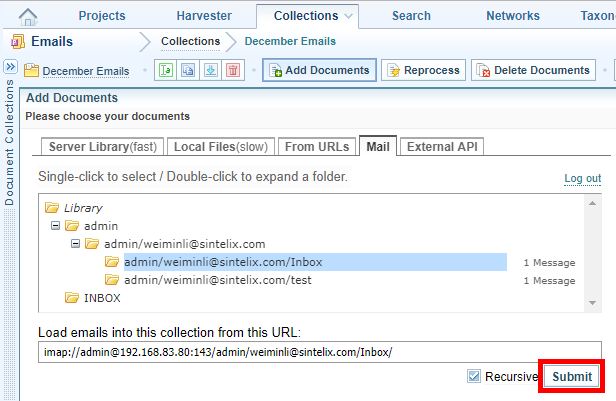
Result: Sintelix will begin ingesting the documents. Progress can be viewed under the Background Tasks tab. As each document has been ingested, it is added to the Collection and can be viewed in the  Documents tab.