Add from Local Files
Background
This topic describes how to ingest data by uploading local files.
See Add (Ingest) Documents. for more information on the different methods of adding source files into Sintelix.
Configuration
No configuration options.
Upload Local Files
You can also drag and drop files onto the Local Files pane.
To upload local files:
-
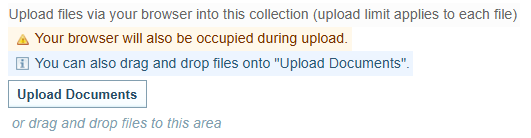
Select Add Documents > Local Files (via upload)
Result: The following is dialog displayed.
-
Select the button.
-
Select the file or files you want to add to the collection.
You can use the Shift or Ctrl keys to select multiple files.
-
Select .
Result: Sintelix will begin ingesting the documents. Progress can be viewed under the Background Tasks tab. As each document has been ingested, it is added to the Collection and can be viewed in the
 Documents tab.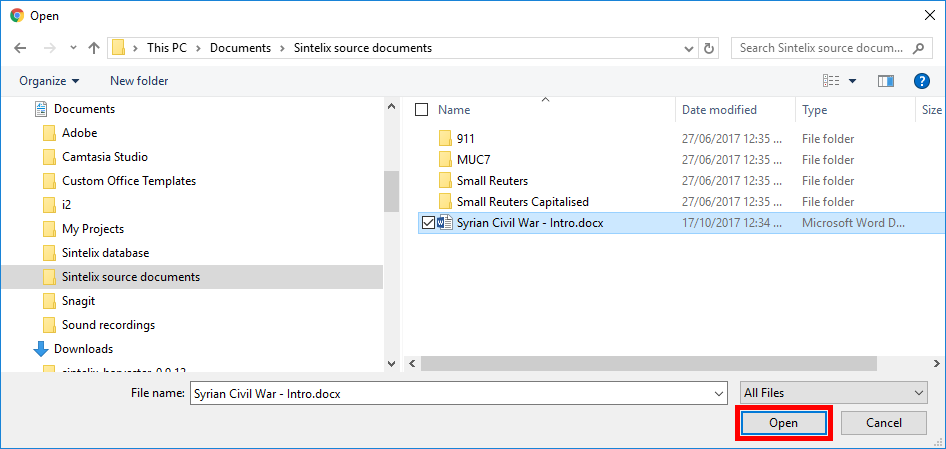
Files over 2GB may encounter issues due to system limitations.
Uploading many files or large files may take some time.
Please do not close the browser tab while uploading.
During document uploads your browser may freeze or become unavailable. If you want to continue accessing Sintelix, open a second browser. For example, if you are uploading documents to Sintelix on Google Chrome, run another instance of Sintelix on Firefox until the upload completes.