Add from URL List
Background
This topic describes how to ingest data from a URL List.
See Add (Ingest) Documents. for more information on the different methods of adding source files into Sintelix.
Configuration
No configuration options.
Add Files from URLs
To ingest text or files from a URL:
-
Select From URLs tab.
-
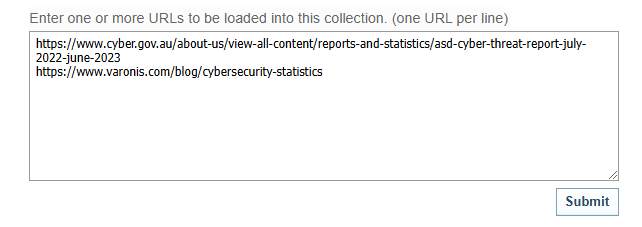
Enter the URL you want to ingest the text from, or enter the path to a specific file on a site. To enter multiple URLs, separate each one with a line break as follows:
Types of URLS
You can ingest files from:
-
specific web pages, for example, https://yourwebsite.com
-
Twitter posts linked to a Twitter ID, for example, @yourtwitterid
-
a Twitter hashtag, for example, #yourtwitterhashtag
-
-
Select .
Result: Sintelix will begin ingesting the documents. The progress is showing in the Job List. As each document has been ingested, it is added to the Collection and can be viewed in the
 Documents tab.
 -
Click on the completed job to go to the ingested documents in the
Documents tab.
