Data Source Connectors (Legacy)
Legacy
This is a legacy feature that has been replaced by Load Structured Data. If you use Data Source Connectors, you need to transition to the Load Structured Data feature. Future Sintelix Releases will remove this feature.
System Information
This configuration allows users to import data from a Structured Data Source.
Make sure a compatible activation key and Structured Data Connection drivers are installed first. See Install Data Drivers for Structured Data Imports.
Process
To configure the data source connectors:
- Open Configurations > Data Source Connectors.
- Create a Data Source Connectors with Document Properties, and Document Content.
-
Add the fields required to filter the database entries during import to the Document Filter list.
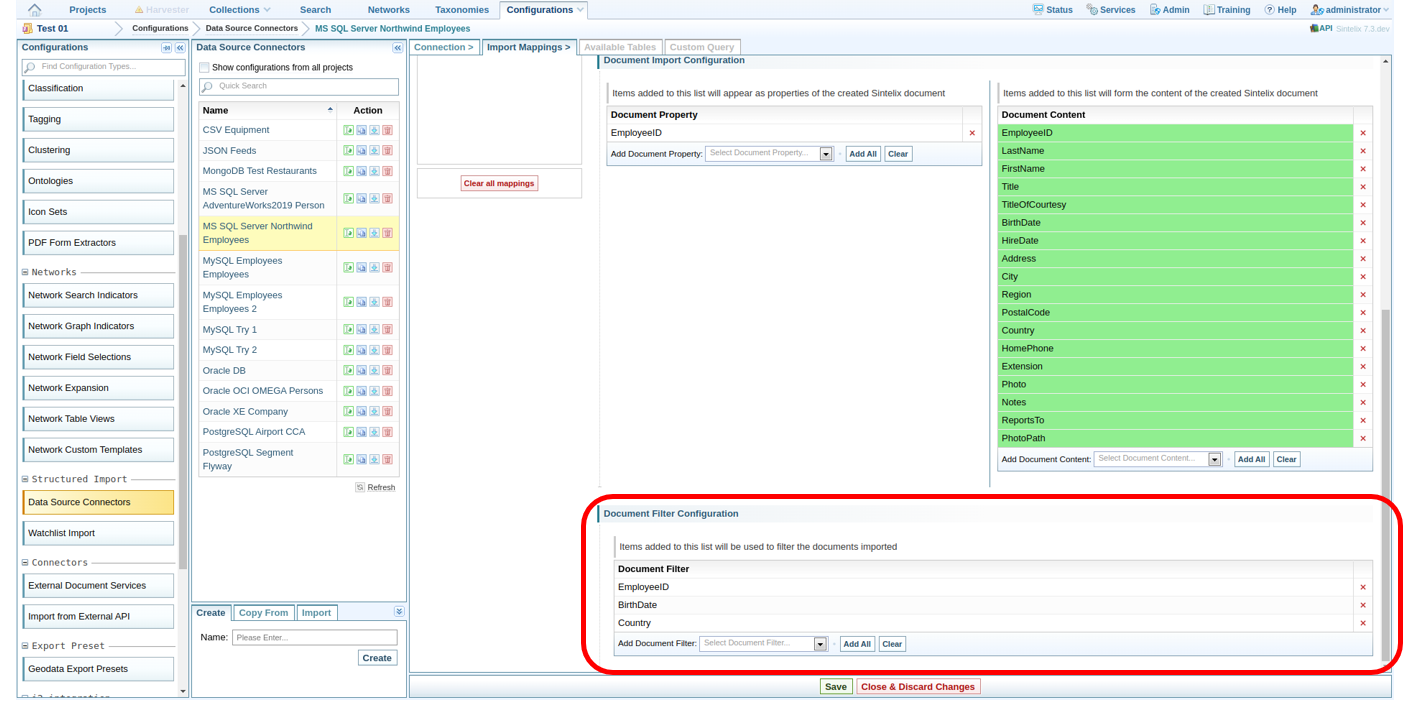
The filter fields can be kept empty. It is not compulsory to complete them, if no filters are required.
-
Select Save.