Code Editor
Introduction
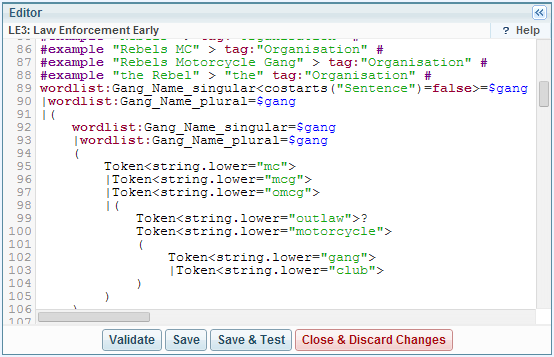
Sintelix provides a Code Editor for entering some aspects of its configuration. It provides a number of capabilities:
- syntax highlighting
- line numbers
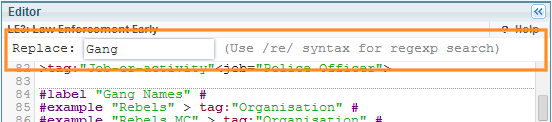
- search/replace
- autocomplete
Example: Test a Dictionary
Video
Click on the image below to watch a video for quick introduction to defining and testing a Dictionary using the Code Editor and Text Graph Analyser.

Available Actions
The available actions depend on where the editor is used in Sintelix.
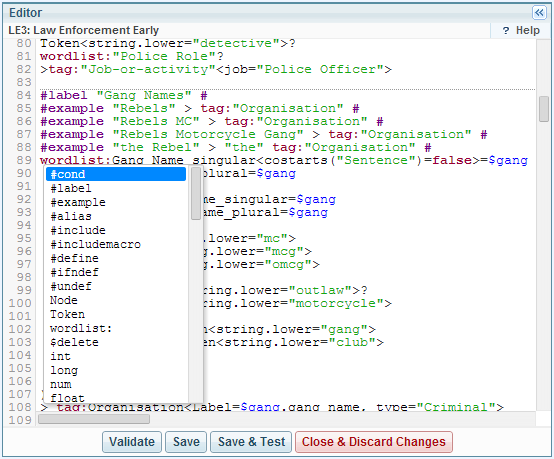
Autocomplete
Click CTRL+Space to get the command list.
Click CTRL+Space in context to get the contextually valid subset of commands.
Search Replace
To use search/replace place the cursor in the edit window (otherwise the browser will capture your commands).
The available commands are:
|
Function |
Keystroke |
Alternative |
|---|---|---|
| Start Searching | CTRL+F | Cmd+F |
| Find Next | CTRL+G | Cmd+G |
| Find Previous | SHIFT+CTRL+G | SHIFT+Cmd+G |
| Replace | SHIFT+CTRL+F | SHIFT+Cmd+F |
| Replace All | SHIFT+CTRL+R | SHIFT+Cmd+R |