Structured Import Example: Sample File
The sample file included in the Structured Import Example is explained below.
The sample file is used:
-
as sample data when creating the Structured Import configurations, and
-
to test the configuration by ingesting the file using the Structured Import configuration.
Sample File
The sample Excel file contains two tabs:
-
Employee Management Data
-
Call Centre Data
First Tab
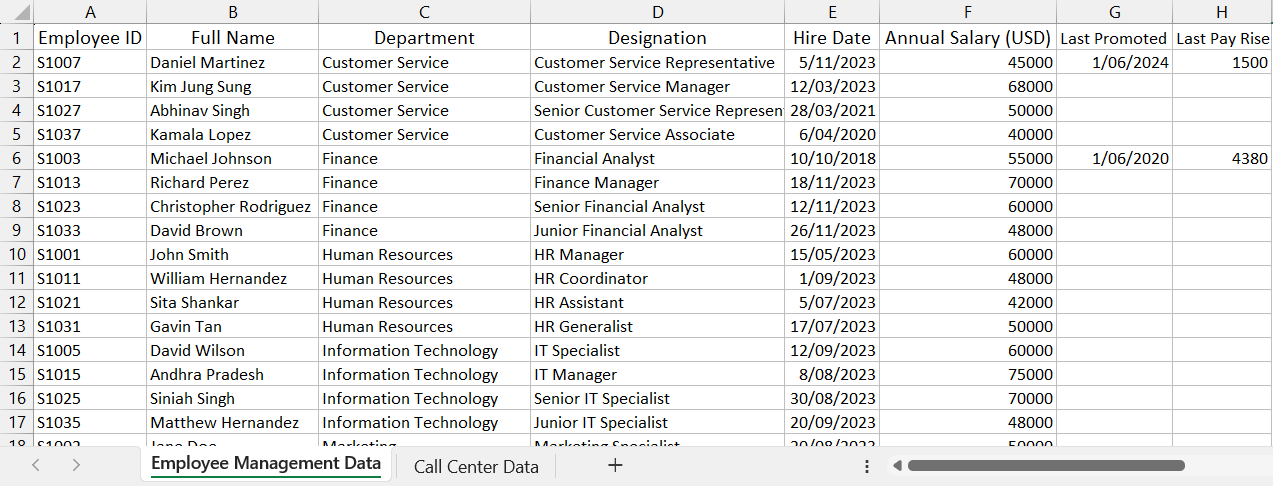
The Employee Management Data contains the following data.
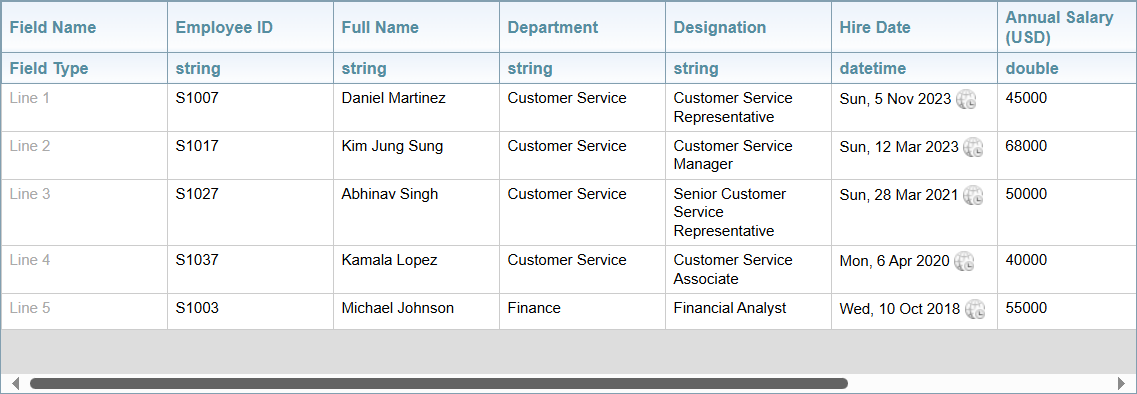
When the spreadsheet is used as sample data for creating the structured import configuration, the sample data is displayed in the preview pane, as shown below.
When an Excel spreadsheet is captured, Sintelix is able to recognise the different Field Types, for example, datetime.
Second Tab
The Call Centre Data contains the following data.
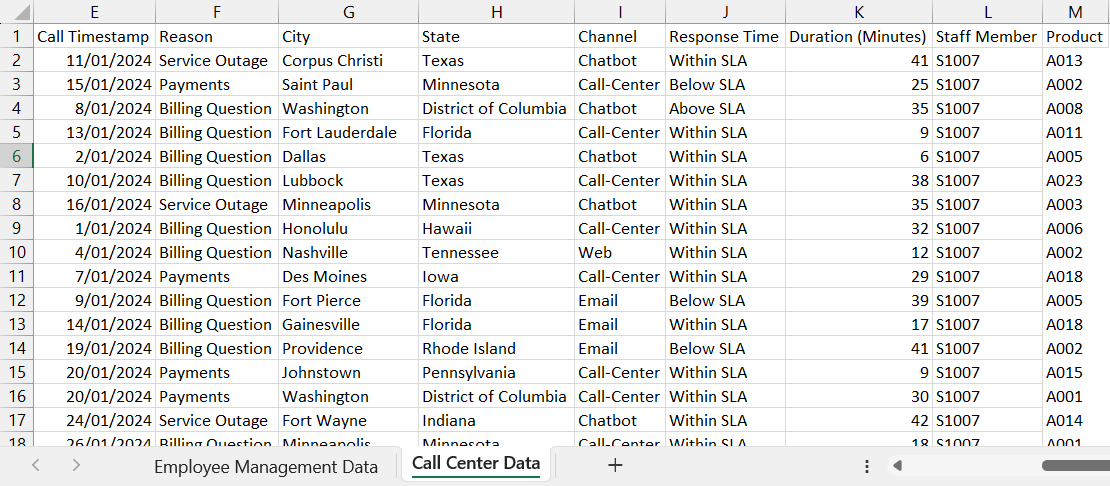
Both tabs contain the Employee ID (called Staff Member in the second tab). This allows you to link the two tabs together, by creating an Employee entity using the Employee ID as the RID feature. For more information, see Links to Structured Nodes.
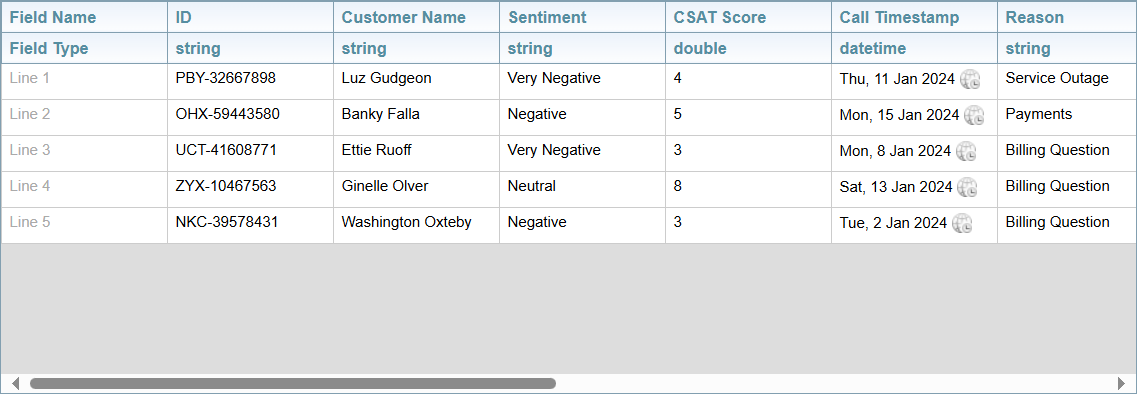
When configuring structured import, sample data is displayed in the preview pane.
Source of the Sample File
The sample file is an excel file containing two tabs:
-
Employee Management Data
-
Call Centre Data
Source:
Filenames:
-
Employee-Management-Sample-Data.xlsx
-
Call-Centre-Sentiment-Sample-Data.xlsx
Some of the data was modified by combining the two spreadsheets into one spreadsheet containing two tabs, adding more data to demonstrate different features of Structured Import, removing formatting, and amending some names to add greater diversity.