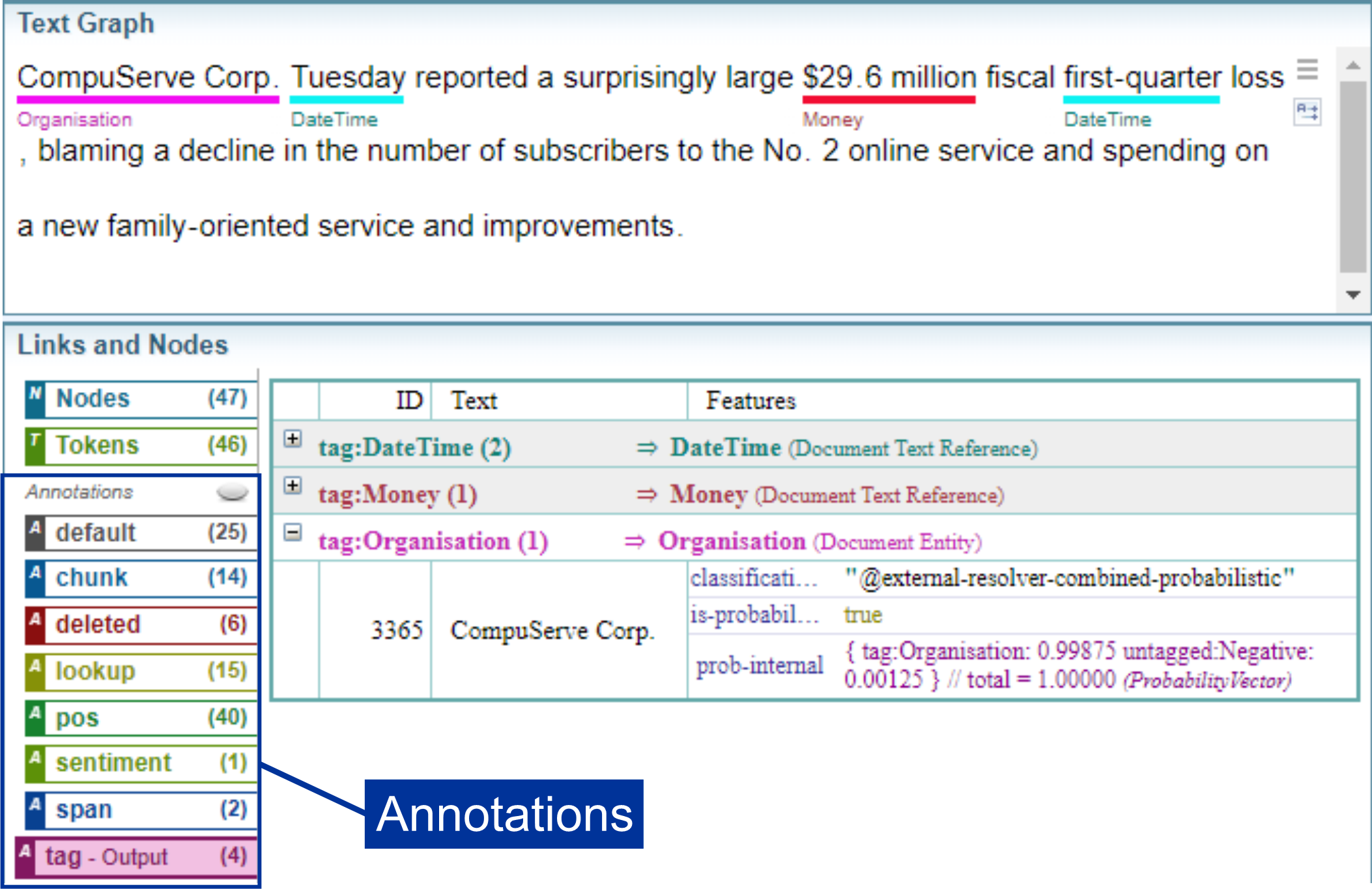
Text Graph, Tokens and Nodes
The Text Graph is the building block of text analysis. It segments and labels text into:
-
Tokens - Every word, number and character.
-
Nodes - Every space between words and characters.
The Text Graph allows Sintelix to examine the grammar to determine meaning and to annotate text with information. For example, during Entity Extraction, people's names are identified and annotated as a Person entity.
Computers and Language
Humans find it easy to differentiate between people's, places, locations, dates, etc. However, language can have ambiguities, making interpreting language difficult for computers. For example, the word bat can be an animal, an action or a piece of sporting equipment. Therefore, the context in which words are used is important.
For a computer to interpret language, it:
-
divides text into the key building blocks, such as words, punctuation and sentences. To do this, it uses Tokens and the Text Graph.
-
identifies the different parts of speech (such as nouns, verbs, adjectives, etc..). These are marked up on the Text Graph as Annotations. See Annotations: Parts of Speech (pos)
Breaking text into its component parts allows a computer to apply algorithms to analyse the text.
By looking at words in context to the words around them, computers can identify meaning.
When is it Used?
The Text Graph is created automatically during Document Processing stage of the Ingestion workflow.
The Nodes and Tokens created cannot be added to or deleted.
Tokens
Text ingested into Sintelix is split into tokens representing words, numbers and punctuation marks and nodes representing the spaces and breaks between words and sentences.
Consider the text:
We saw two yellow dogs!
This text is split into six (6) tokens:

Text Graph
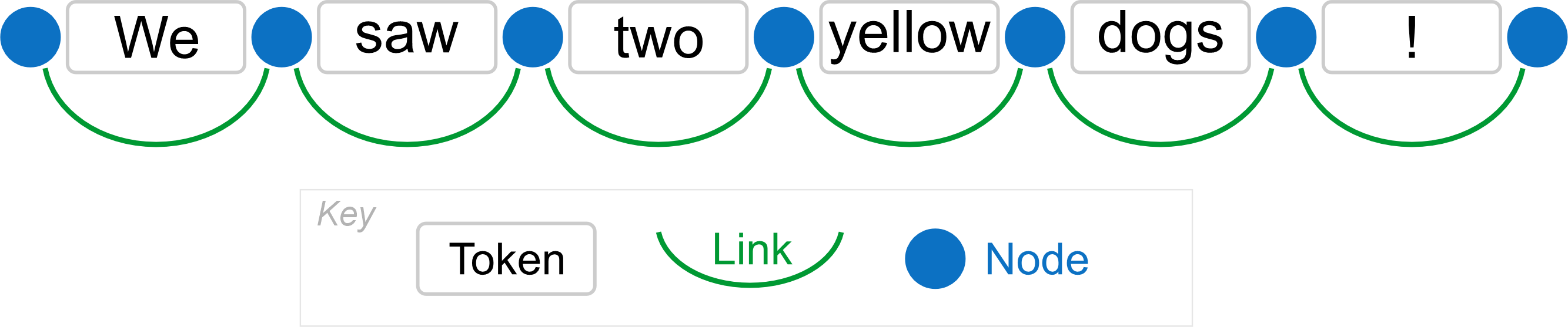
The text graph is a one-dimensional chain of alternating nodes and links.
-
Nodes represent the space between text. Nodes contain any white space characters (spaces, carriage returns, etc.) between the text.
-
Tokens represent the text between the nodes. A token can be a single character or a string of characters.
-
Links connect two nodes and represent spans of text. The token link, connects two nodes spanning a single token.
-
Annotations are also a type of link, where the link between two nodes can span a single token or multiple tokens and provide additional information about the text.
Example: Text Graph
From the text:
We saw two yellow dogs!
The following text graph is created with seven (7) nodes and six (6) links where each link spans a token:
Example: Text Graph with Annotations
Once the Text Graph has been created, you can add annotations to provide additional information about the text, from grammatical to contextual.
The example below shows annotations identifying a Person entity (Joe Biden) and a Position entity (president).

Links Rules
Each link contains:
- The link name. The name is permanent. No processing module can alter a link name after its creation.
- The start and end nodes of the link. They are permanent and cannot be altered following link creation.
- Features. The Features (described below) of any link can be altered by further processing.
- Text. That is the full text covered by the link excluding the text of edge nodes.
In EES, rules that affect links make changes to the graph immediately after the rule has fired.
Text Graph Analyser
The Text Graph Analyser is a tool used to test Dictionaries, Entity Extraction Scripts and Document Processing Scripts.
The Text Graph Analyser shows a breakdown of the Text Graph so you can visualise and analyse the Text Graph to see what annotations (mark ups) are being created.
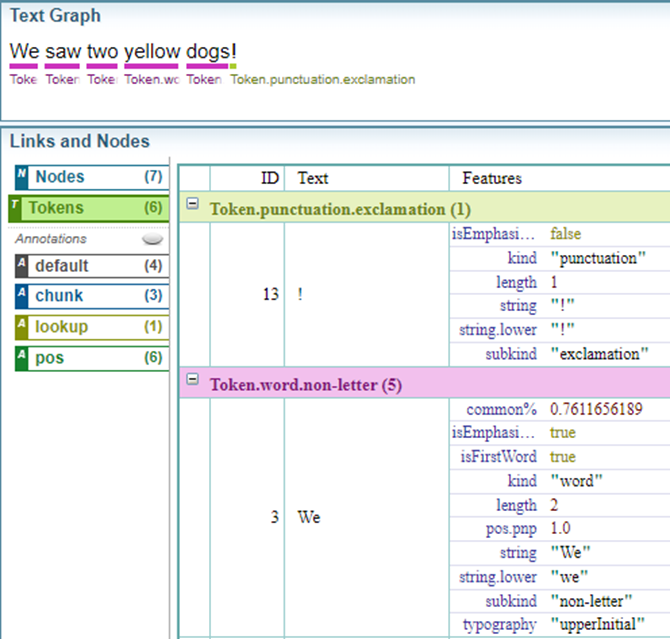
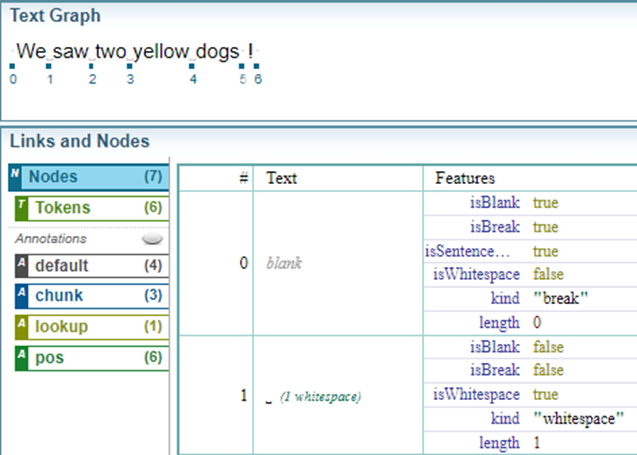
The diagrams below illustrate the text graph nodes and tokens for a sentence as they are shown in the Text Graph Analyser.

Text Graph: Tokens
In this example, five (5) word tokens and one (1) punctuation token were identified.
Text Graph: Nodes
In this example, there are 7 nodes (numbered 0 to 6).
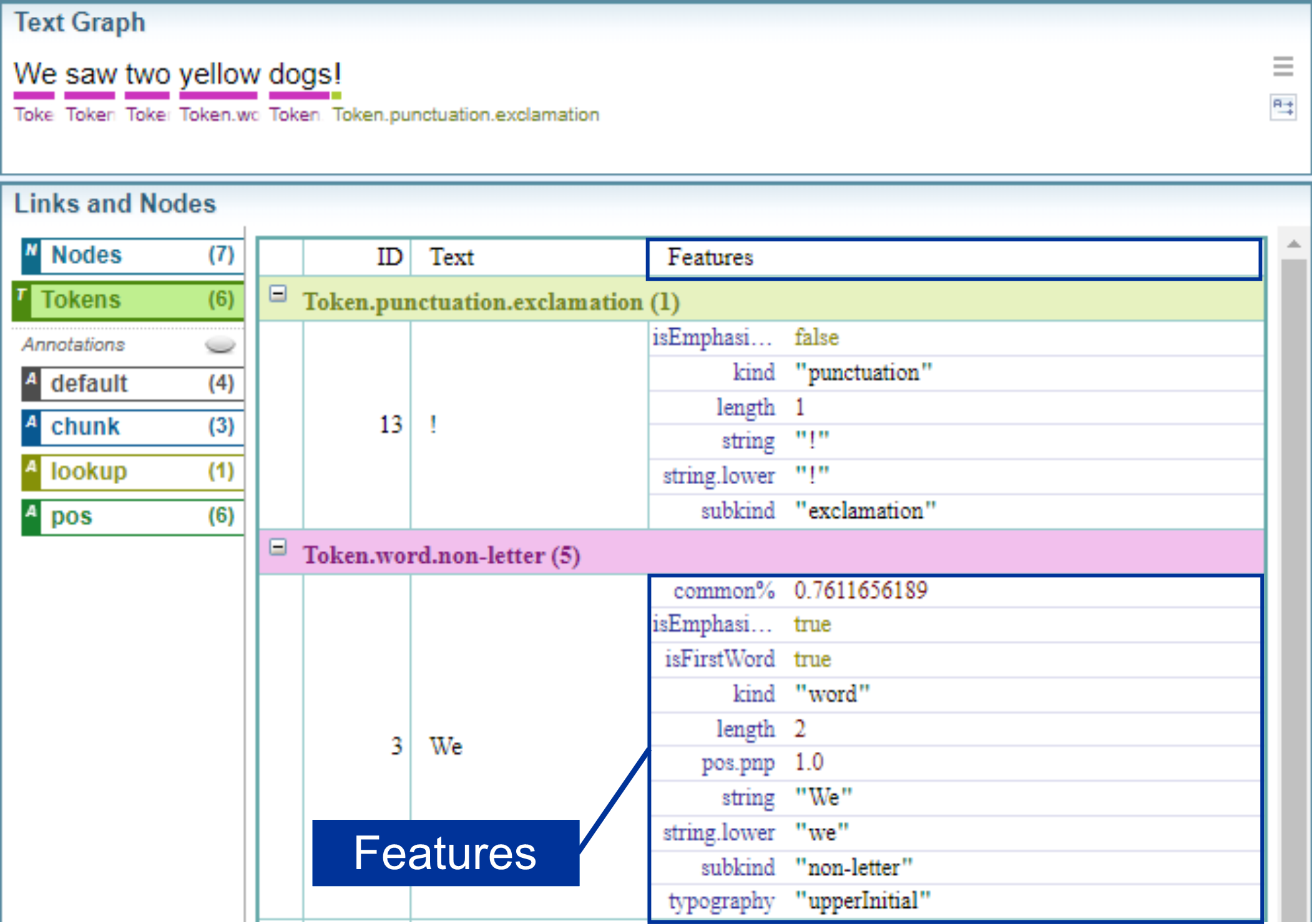
Features
Nodes and Links can have features. A feature has a label and a value.
When text is ingested and the Text Graph is created, features are generated by the system.
Example: Features generated by the system
The example below shows features attached to tokens.
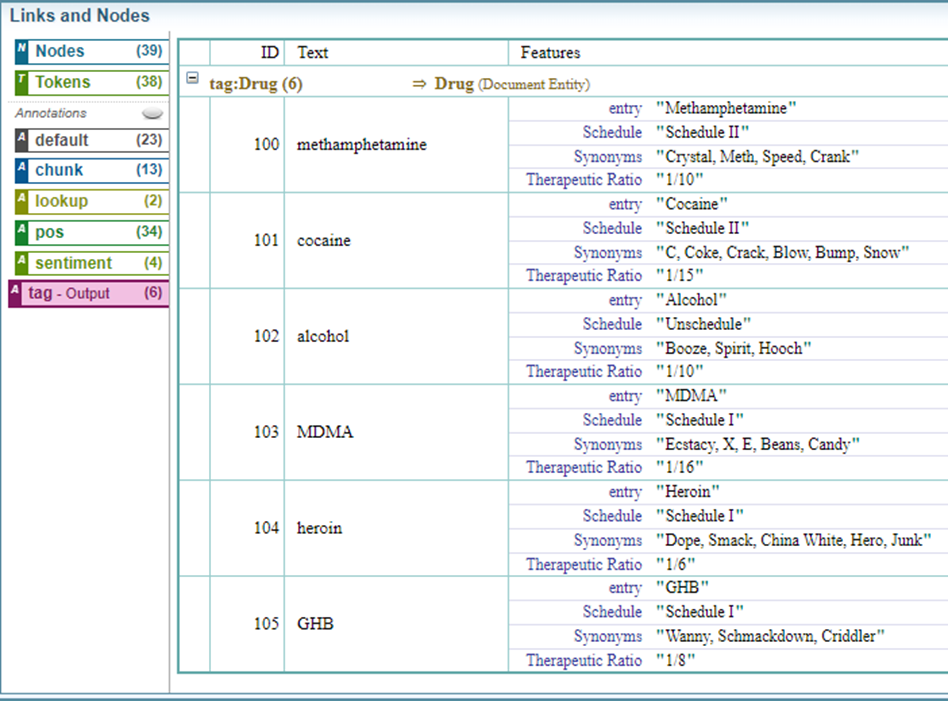
Annotations (additional links) can be created by entity extraction, dictionaries and entity extraction scripts, usually as text references and entities. Annotations can also have features added to them.
Example: Features added by a Dictionary
The example below show features that have been added to Drug entities created using a dictionary.
Annotations: Text Graph Analyser
Annotations are text graph links that represent selections of text providing additional information about the selected text.
Text references, entities and connections in the text are a type of annotation added to the text graph.
For more information about the type of annotations, see Annotations.