Sintelix Agent Installation Summary
Quick Summary
What is the Agent?
Sintelix can harvest information from the Internet. While this used to be integrated within Sintelix, this Harvester functionality has now been captured within a separate Sintelix Agent application. This allows greater flexibility and efficiency in harvesting information from the Internet.
Operating Systems
Sintelix Agent works with:
- Windows
- Linux
Installation
The Sintelix Agent can either be installed:
- with Sintelix on the same machine (most common installation model), or
- separately on a different machine and then connected to Sintelix.
When to use a separate Agent
A separate Agent installation may be required:
- For security, to maintain the Sintelix server in a protected environment, with the Agent installed on a separate server with different security protocols. Contact Sintelix support if you require assistance configuring a separate installation of the Sintelix Agent.
Connecting to Sintelix
Once the agent is installed, Sintelix needs to be connected to the agent to harvest information from the Internet. The Sintelix Agent connection can be:
- shared (default), used by multiple users, or
- private, unique to a user, (private agents are disabled by default) and and may only be useful in specific configurations. If you are interested in using private agents, please consult with the Sintelix support team.
Number of Connections
Only one agent should be connected at a time.
Installation configurations
The different installation configurations are summarised in the table below:
| Type | Agent Installation | Agent Connection |
|---|---|---|
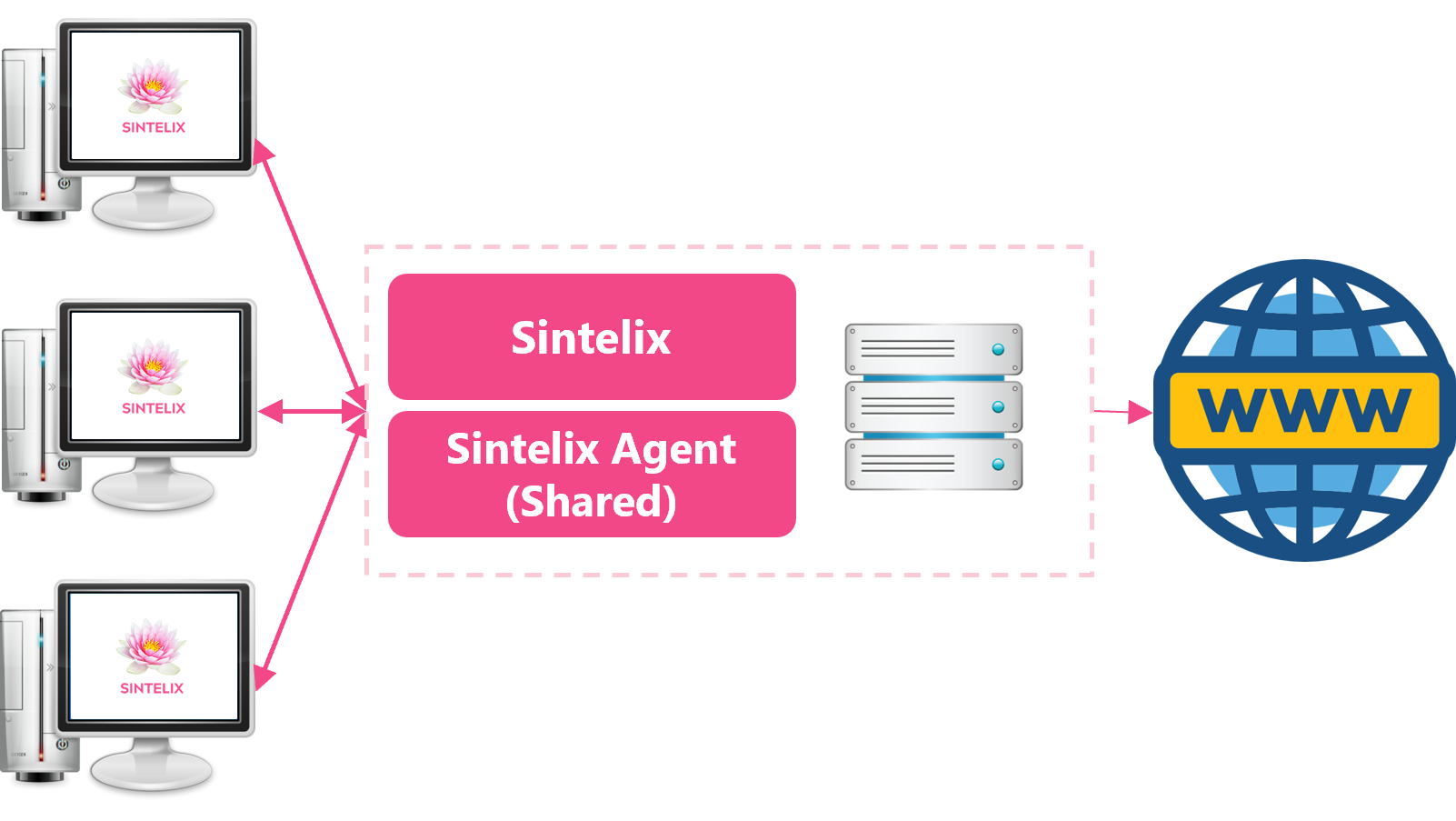
| Networked | Same server | Shared |
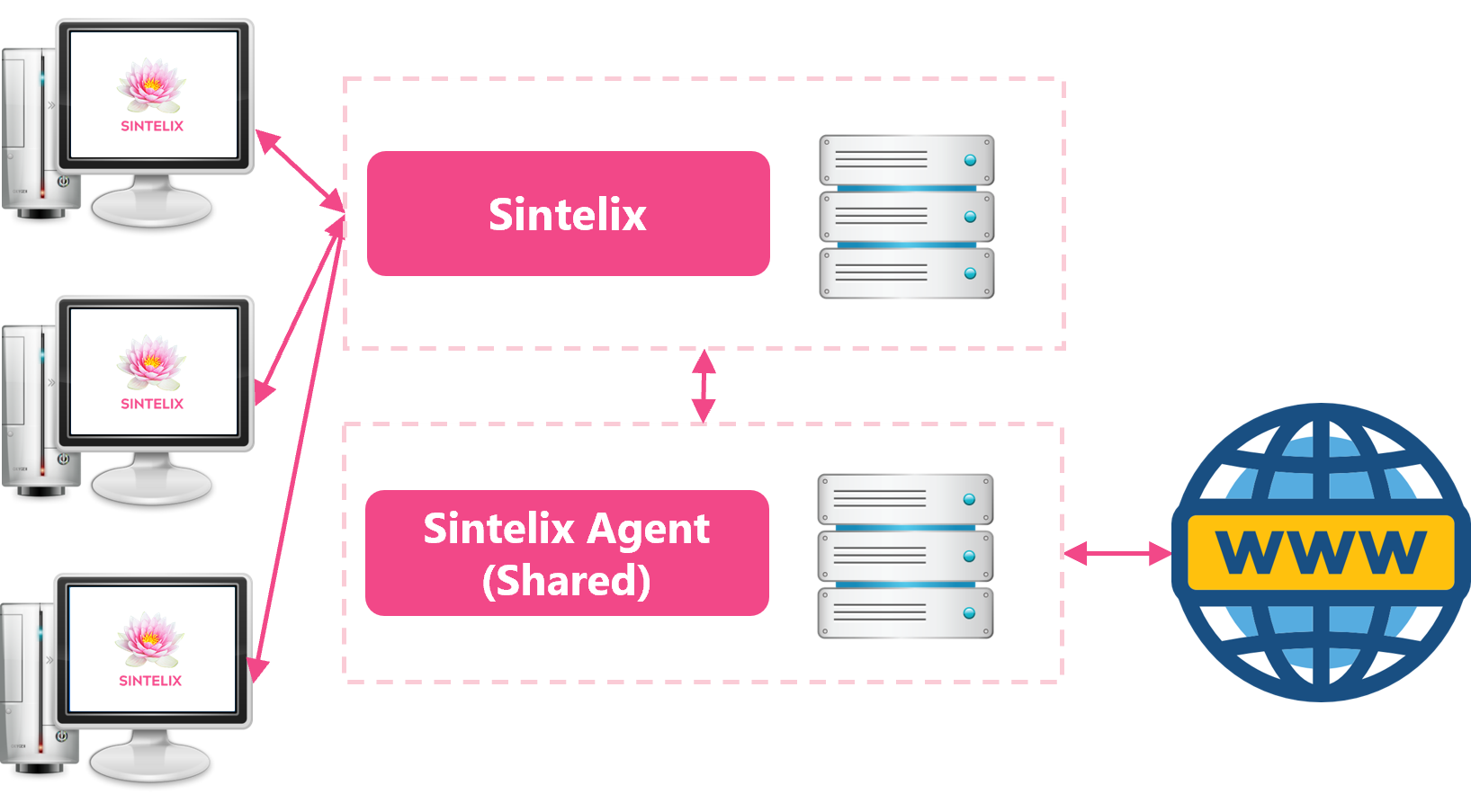
| Networked** | Separate server | Shared |
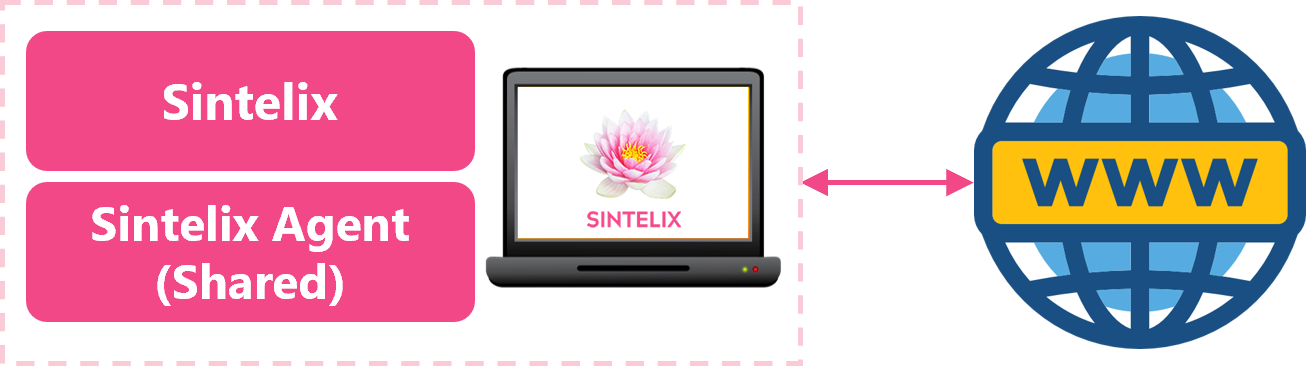
| Standalone | Same PC | Shared |
** If you want to install the Sintelix Agent on a separate server to Sintelix, we recommend contacting our support team to discuss the requirements.
Diagrams
The diagrams below illustrate the different installation configurations for the Sintelix Agent:
Networked: Installed on Same Server: Shared Agent
Networked: Installed on Different Servers: Shared Agent
Standalone: Installed on single PC: Shared Agent