Geospatial Files
Quick Summary
Geospatial files contain geographical information.
While Geospatial files have been around for some time, many are proprietary. Sintelix accepts the more common open standard geospatial files.
Formats
Sintelix accepts the following geospatial file formats:
-
GeoTIFF – a TIFF variant enriched with geographical relevant metadata, especially georeferencing. An open format that has become one of the most common formats for data sharing.
-
Keyhole Markup Language (KML) – XML based open standard (by OpenGIS) for GIS data exchange.
-
KML Zipped (KMZ) - a zip-compressed KML file which may also contain supporting files.
-
GeoJSON – a lightweight format based on JSON, used by many open source GIS packages.
-
SHP - a shapefile format is a geospatial vector format, developed and regulated by Esri to support data interoperability. See Shape Zip Files below.
-
GPX - a GPS Exchange Format file, contain data points, like waypoints, routes, and tracks, that are recorded by a GPS device.
Shape Zip Files
The SHP shapefile format is downloaded as a zip file, which must contain four files to successfully ingest the geospatial information: .dbf, .prj, .shp and .shx.
Sintelix requires the full zip file to be ingested, not just the .shp file.
For example:
urban_areas.zip, would contain at least:
-
urban_areas.dbf
-
urban_areas.prj
-
urban_areas.shp
-
urban_areas.shx.
Sample Files
You can try importing sample Geospatial files. See Geospatial Files Example.
Types
There are two types of geospatial data types: raster and vector.
-
Vector data is represented as either points, lines or shapes (polygons). For example, road routes and country boundaries.
Suited to the KML/KMZ, SHP and GeoJSON file formats.
-
Raster data is suited for continuous data, such as elevation, temperature, etc.
Suited to the GeoTiff file format.
Example: Vector
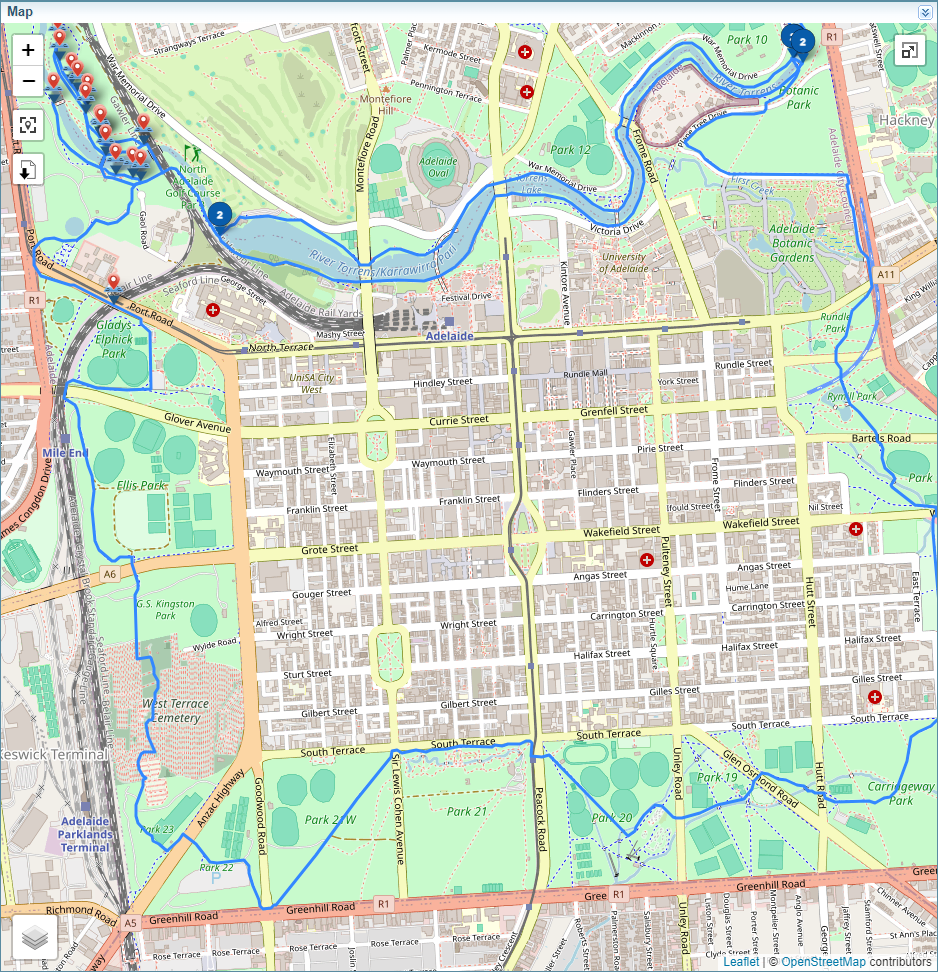
The map below shows routes and locations stored in a kmz file.
Example: Raster
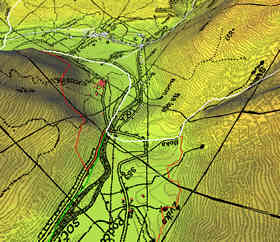
The diagram below shows a digital elevation model.