Features
You can add additional information to text references created by dictionaries, called features.
A text reference can have more than one feature added.
Syntax
Set Feature:
#feature <label>:<type>:<value>
Clear Feature:
#clear feature <label>
<type>
- string (default, can be omitted)
- boolean
- integer
- long float
- double
Setting a new feature with the same label automatically overrides the previous feature.
A feature is applied to all the following entries until the feature is overridden or cleared.
Example: Simple
Below is an example of a simple Dictionary, where each word listed will be tagged as a Weapon.
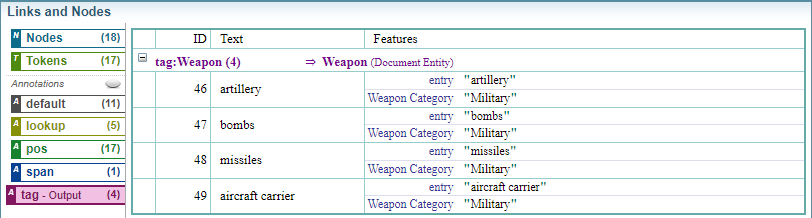
A feature has been added to the entries to provide additional information about the entry, in this case setting Weapon Category as the label and Military as the value.
#wordlist tag:Weapon
//Add "Weapon Category" feature with value "Military"
#feature:"Weapon Category" "Military"
artillery
bombs
missiles
aircraft carrier
Links and Nodes Output
Example: Varying Features
Below is an example of a simple Dictionary, where each word listed will be tagged as a Weapon.
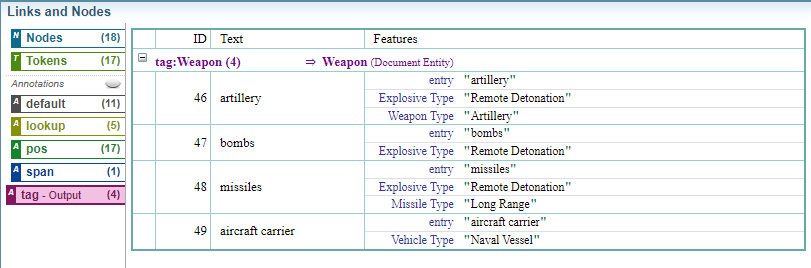
Different features have been added to different entries to provide additional information about the entry.
Note:
The feature Explosive Type with the value Remote Detonation applies to bombs, missiles and artillery until is it cleared before aircraft carrier.
#wordlist tag:Weapon

#feature:"Explosive Type" "Remote Detonation"
bombs

#feature:"Missile Type" "Long Range"
missiles

#clear feature:"Missile Type"
#feature:"Weapon Type" "Artillery"
artillery

#clear feature:"Weapon Type"
#clear feature:"Explosive Type"

#feature:"Vehicle Type" "Naval Vessel"
aircraft carrier

/*
#EXAMPLE
During the attack, artillery, bombs and missiles were used to disable the aircraft carrier.
#EXAMPLE END
*/
Links and Nodes Output
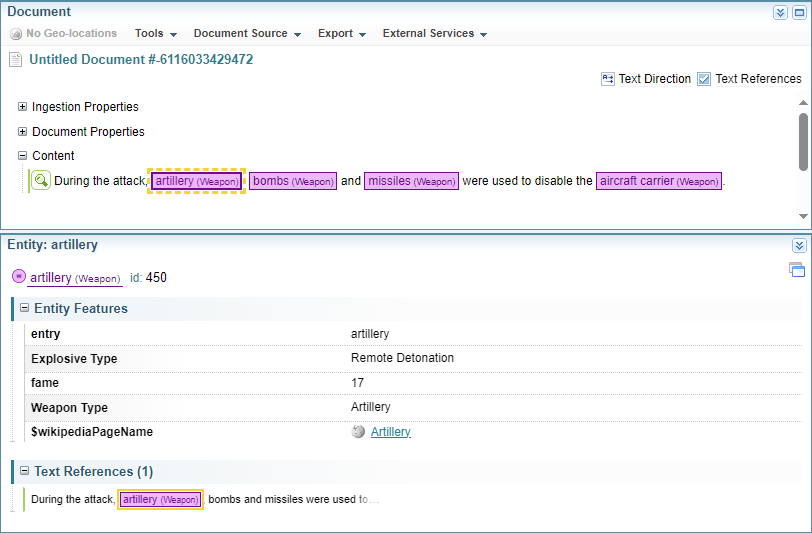
Entity Output: Artillery
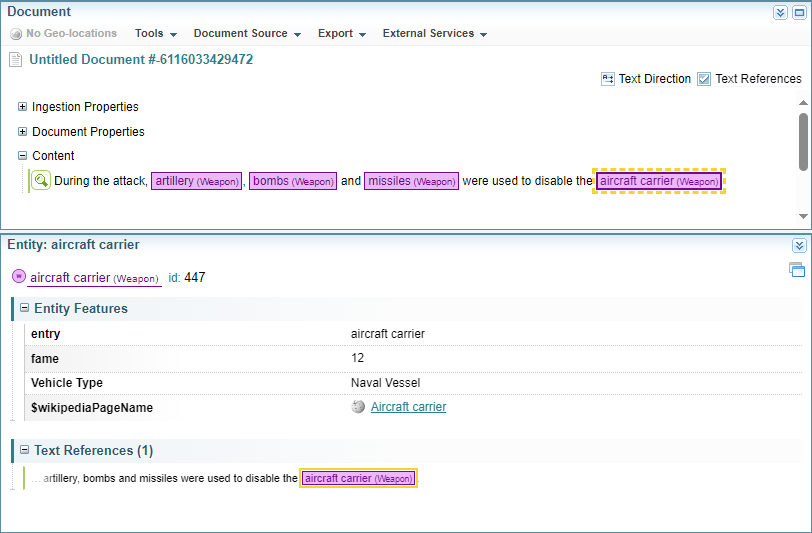
Entity Output: Aircraft Carrier
Example: Varying Features
Below is an example of a simple Dictionary, where each word listed will be tagged as a Weapon.
Different features have been added to different entries to provide additional information about the entry.
/*
#EXAMPLE
hello!, hello-world, true-world, truth, helloworld, no-feature
#EXAMPLE END
*/

#wordlist Demo2-Feature
#feature:name1 hello
// #feature is equivalent to #feature:string
hello! // output features {name1: "hello"}

#feature:name2:string world
hello-world // has two features {name1: "hello", name2: "world"}

// features of the same name do not stack - the old feature is replaced
#feature:name1:boolean true
true-world // has two features {name1: true, name2: "world"}

// note that "true" and "false" are interpreted as a boolean types
#clear feature:name2 // clear feature name2
truth // now has only 1 feature {name1: true}

#feature:name1 " hello world " // quote if contains whitespaces
helloworld // has {name1: " hello world "}

#wordlist Demo2-Feature-none
no-feature // has no features as all are cleared from the previous #wordlist
Feature for the Artillery entry
Feature for the Aircraft Carrier entry