Edit Text in a Document
Edit Documents
This topic explains how to:
-
edit text in documents and
-
merge and split text blocks.
You can also:
Text Blocks
Text in the document is divided into blocks. When editing a document, each text block is identified by a line in the left border. When you click anywhere in a text block, the editing options are displayed.
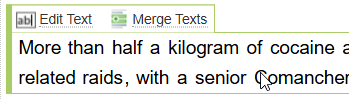
You can choose to:
-
Edit Text (which also provides the option to Split a Block into two blocks).
-
Merge Texts which allows to combine two text blocks into one text block.
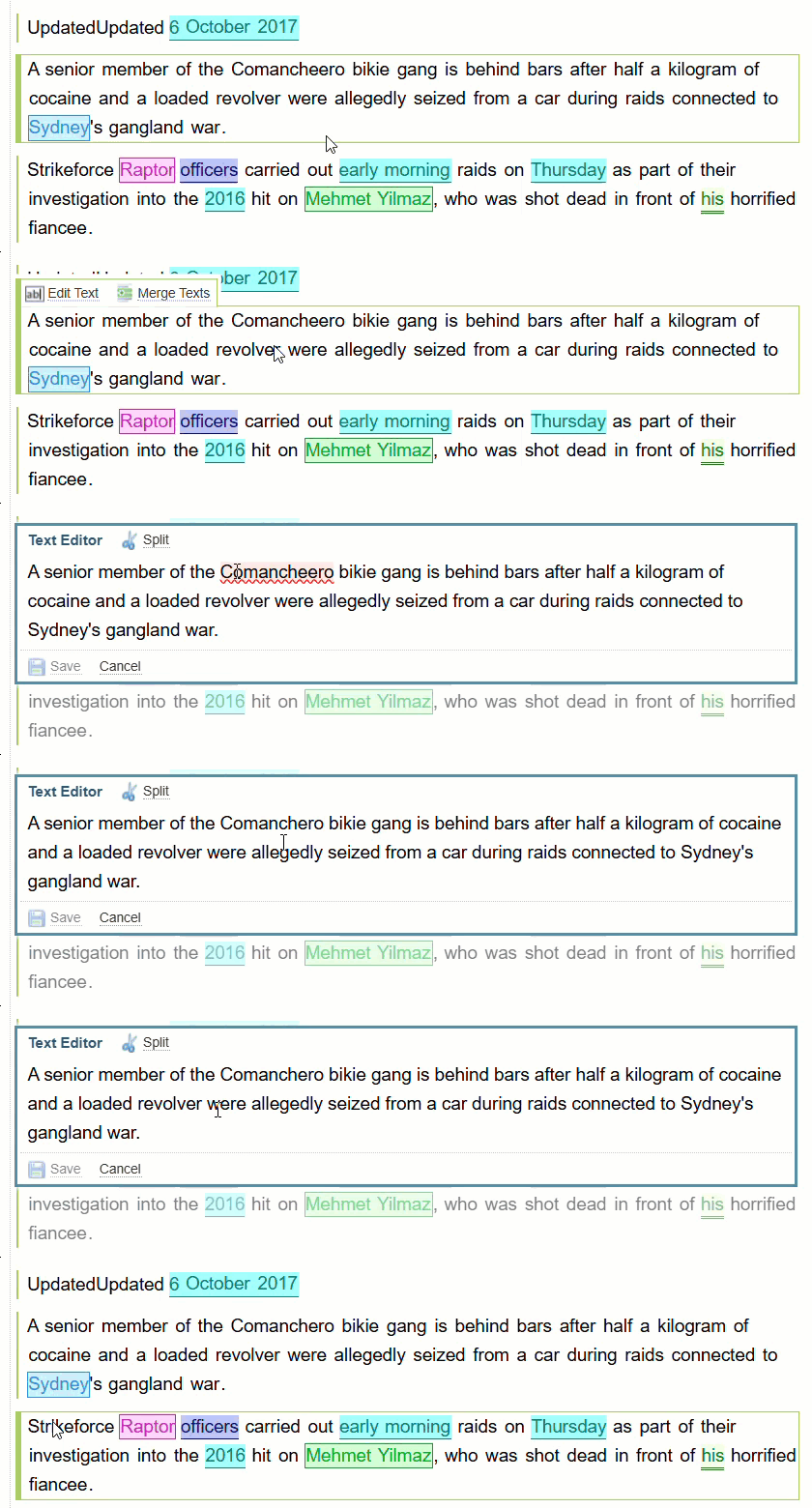
Edit the Document Text
You can edit the text in the document. For example, you may want to correct spelling or add your own notes.
To edit the text:
-
Click anywhere on the Text Block.
-
Select the Edit Text option.
-
Make the required changes.
-
Select Save.
Merge or Split Text Blocks
In some cases you may want to split or merge text blocks. For example, when editing an audio transcript you may want to assign parts of a transcript to specific speakers, you would need to merge or split the text.
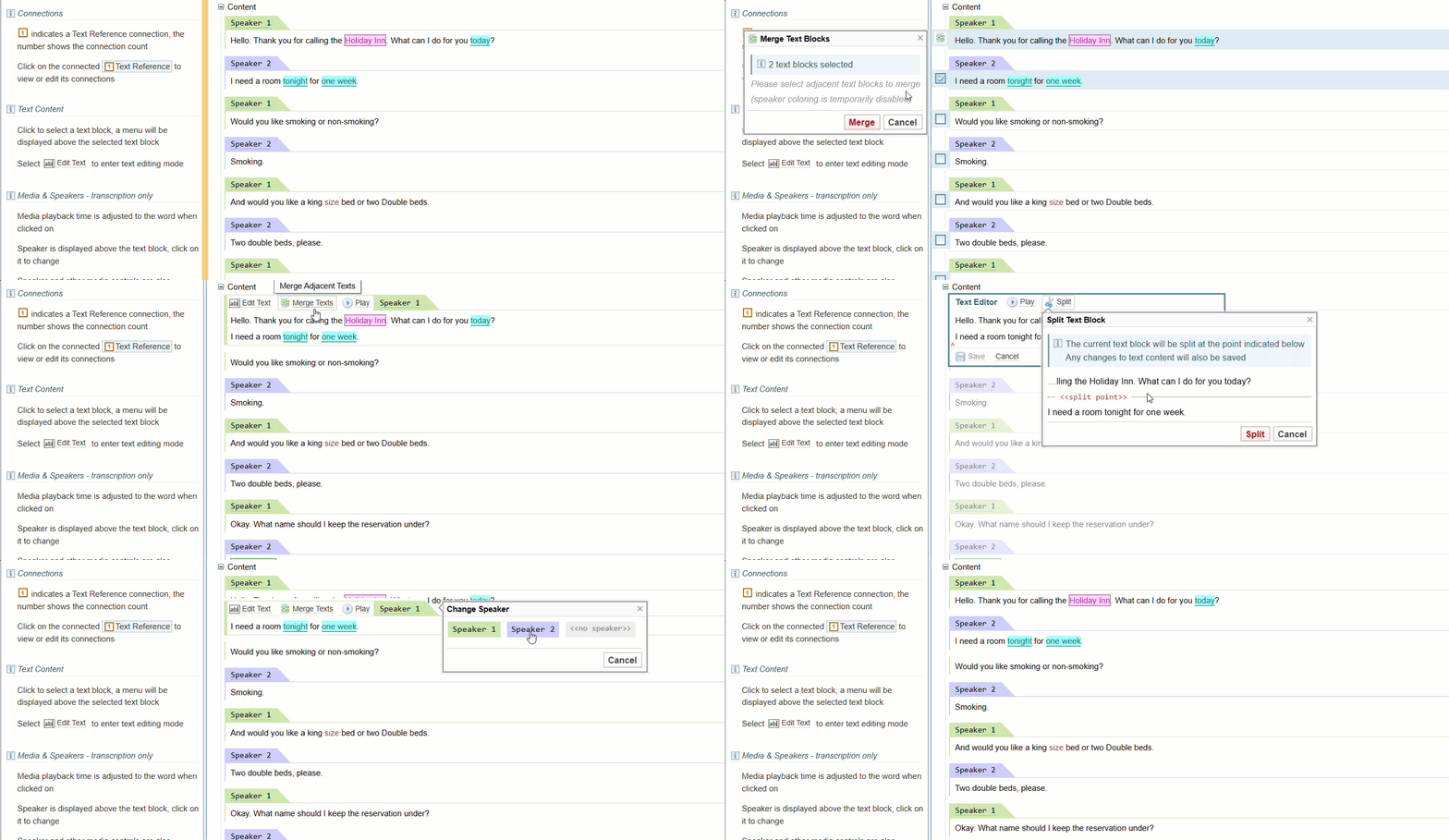
These text block changes will persist even if the document is reprocessed, which means you can fix difficult documents before applying dictionaries and EES.
Merge the Text Blocks
- Click the text block to be merged.
-
Select
Merge Texts
 .
.
-
At the
Merge Text Blocks
dialog, check the box next to the lines of text to be merged.
To select multiple consecutive lines, check the lowest line, and every line in between will be automatically checked.
-
All the selected text blocks in the row are added in the Merge Text Blocks dialog, and the number of text blocks selected will display.
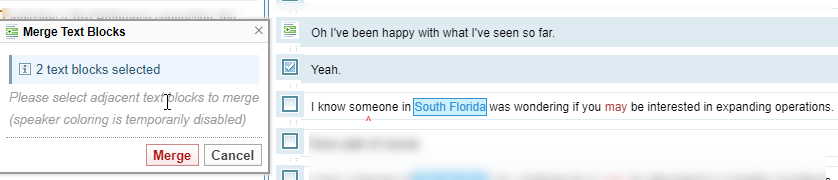
Text can be merged only between consecutive text blocks on the same level.
-
Select Merge .
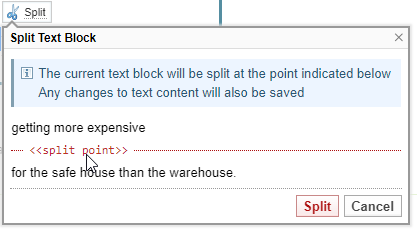
Split a Text Block
- Double click on the text or drag the mouse to select a part of the text to split and click Edit text .
- In the Text Editor , select the split point.
-
When the
Split Text Block
appears, to show the split point, click
Split
to confirm your selection point, or
Cancel
to redo.
All text references spanning the split points are removed.