Edit Links in a Document

Delete connections
Connections are a layer of information that links entities together, and eventually produces network links.
When a text reference is involved in some connection, a number appears showing how many connections use this text reference.
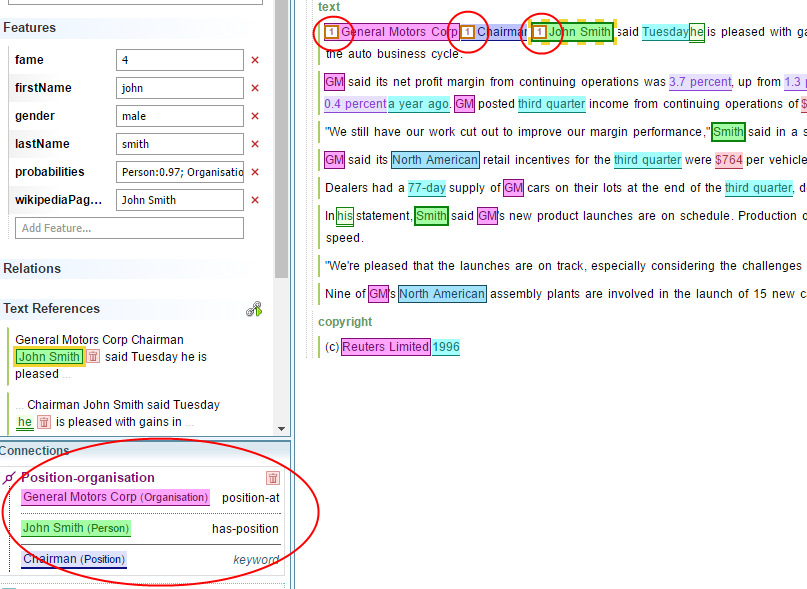
To delete a connection:
Click on any text reference and select Delete from the Connections panel.
Create new connections
To create a new connection:
- Identify the text references that should be connected.
- Select one member of the connection.
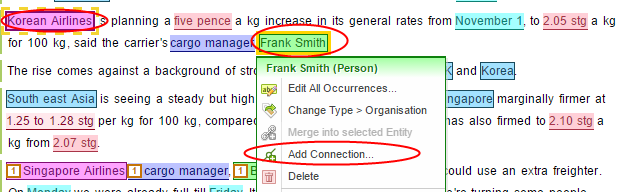
- Right-click on another member of the connection.
- Select Add Connection.
-
In the dialog box for Create Connection , make sure the connection type is correct, and the two text references occupy correct slots. If there is a third slot (such as keyword), and there is a correct text reference for it, select the empty slot and then select the text reference to fill it.
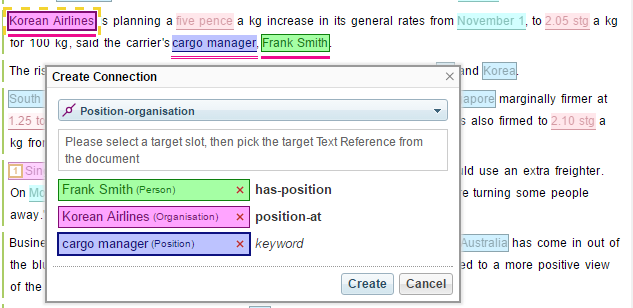
- Select Create .
The Ontology link schema has a list of valid link types. To create a new link on the Ontology, then modify it.