Edit a Document
Edit Documents
It is possible to edit a Document to correct mistakes.
You can configure Document Processing to include Machine Learning .
Machine learning will "learn" from edits made to documents, stored as dictionaries and entity extraction scripts, so they can be retained during reprocessing and applied to future documents.
If Machine Learning is enabled, you will see a message in the top right of the edit document pane -
 .
.
Access the Document Editor
To edit a document:
- Select Collections>Documents
- Select the Document you want to edit.
-
Select
 Edit (on the Document Toolbar) -
Document Pane layout
.
Edit (on the Document Toolbar) -
Document Pane layout
.
Help Instructions
When you open the Document Editor, the left pane displays some instructions.
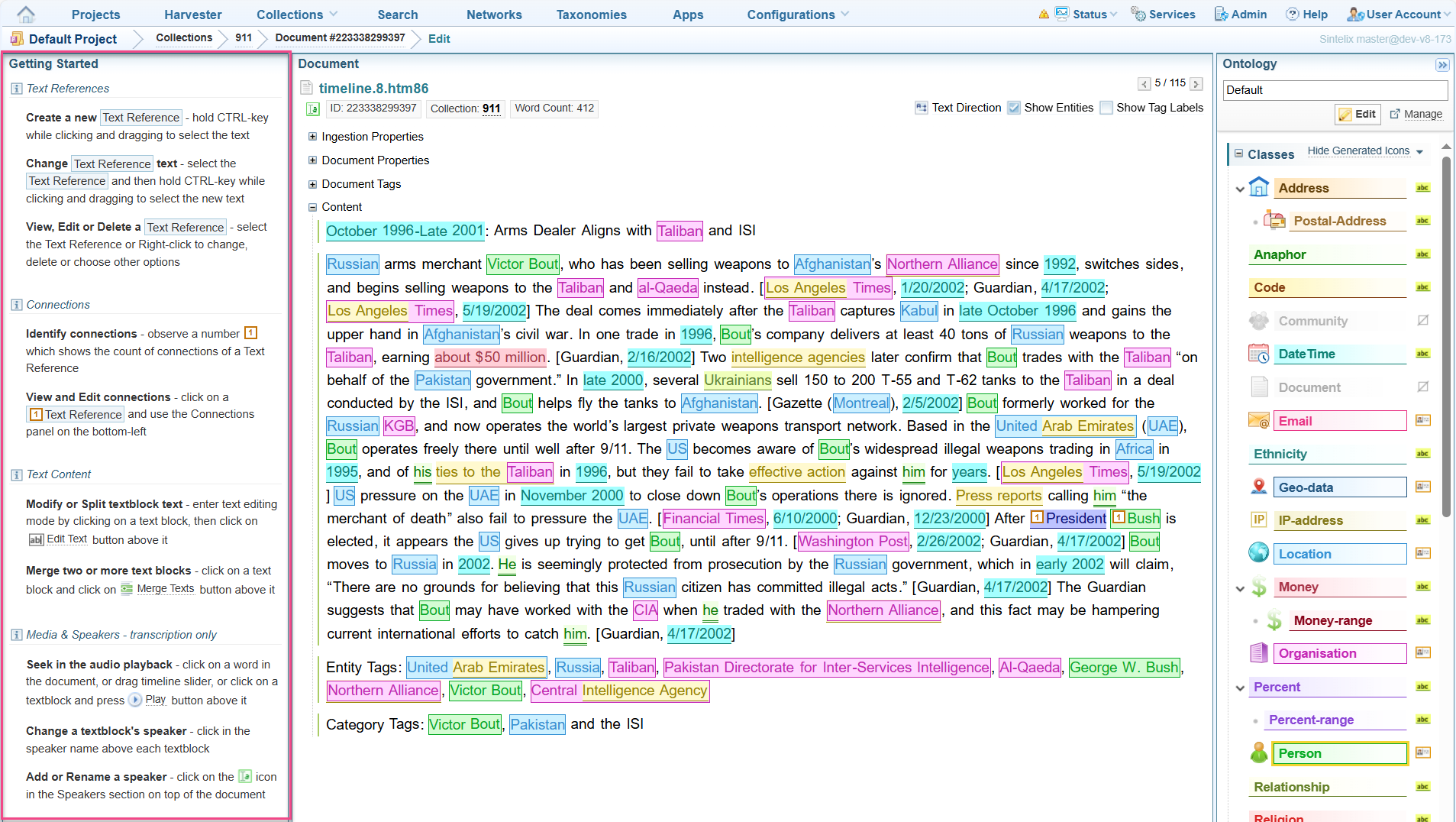
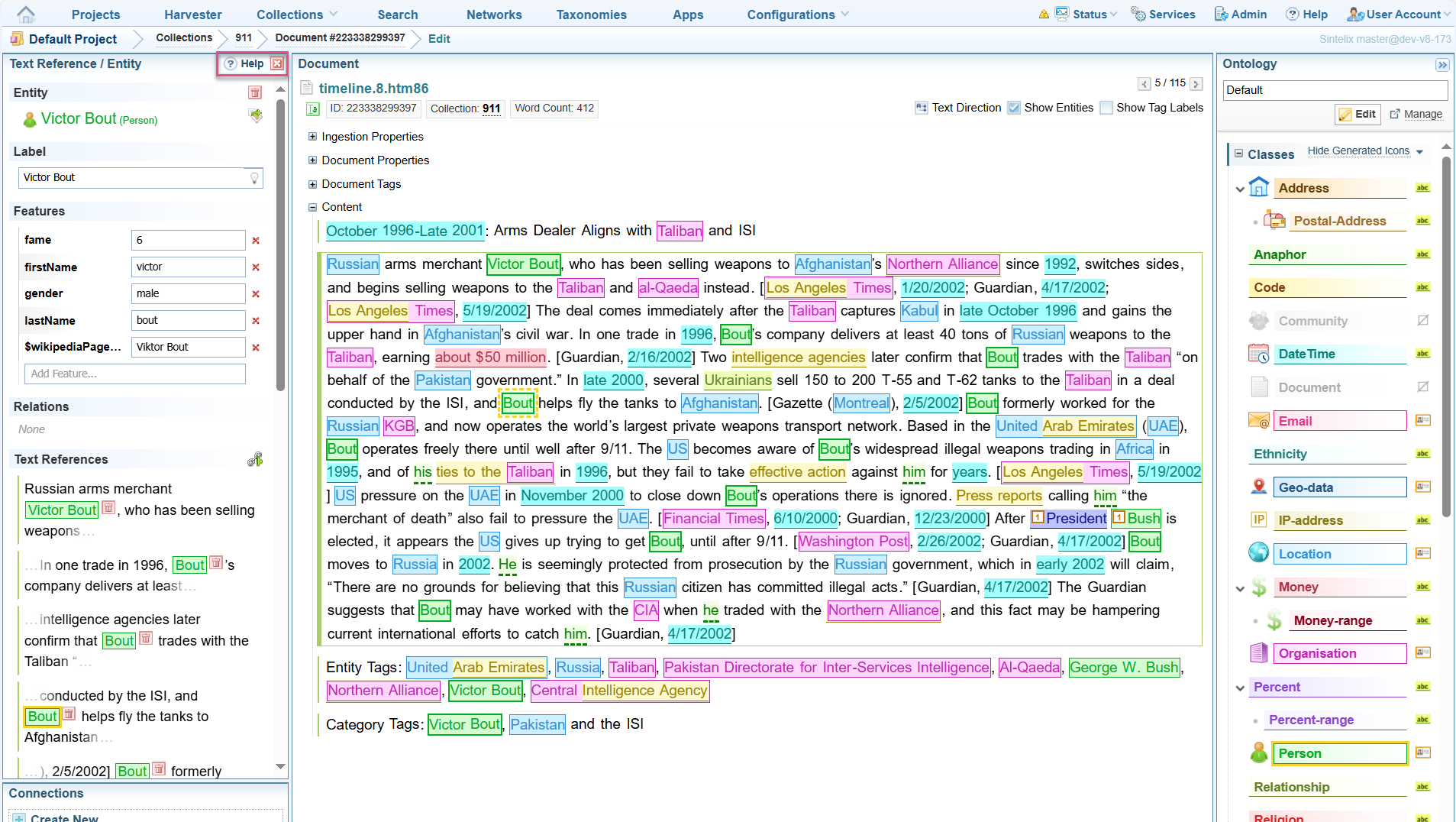
When you select a Text Reference, the Text Reference information is displayed in the left pane.
There is a help button displayed at the top, which will return you to the instructions pane.
Quick Summary
On the edit window that is displayed, you can do any of the following:
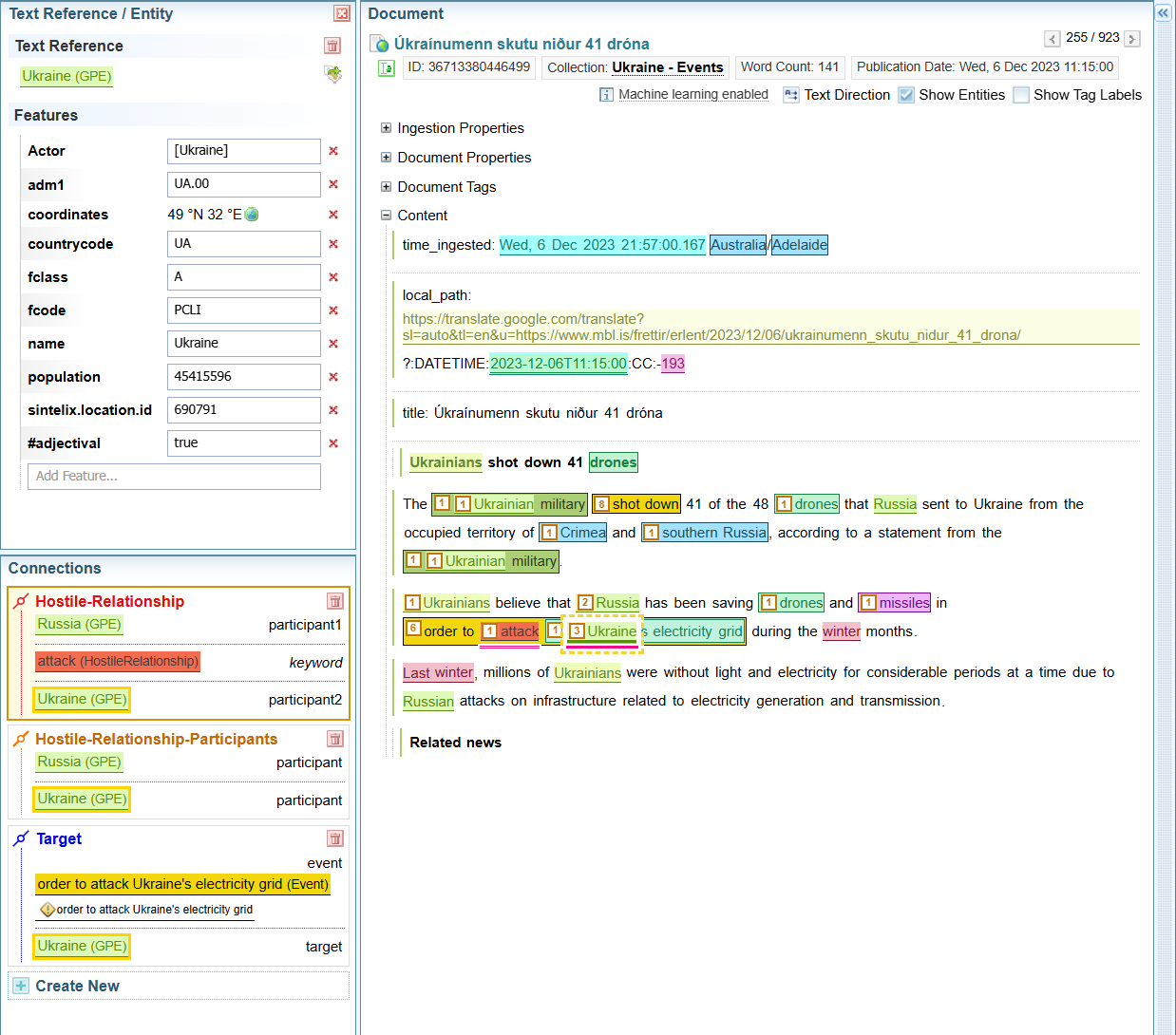
- View a Text Reference - Hover over the text reference Text that has been marked up (that is, highlighted with a coloured label) in a document. to view its type. Click a Text Reference, to view its details in the Text Reference/Entity pane.
- Edit a Text reference and its connections
- Select a Text Reference, and in the
Text Reference/Entity
pane that displays the details, you can edit the Text Reference and its connections.
-
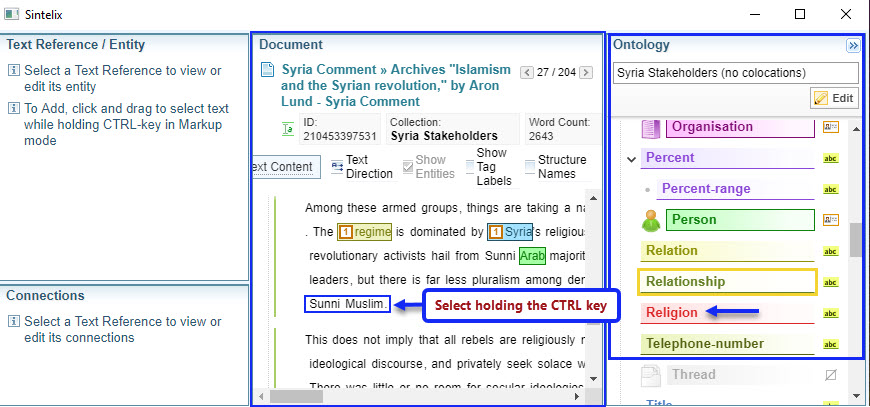
Add a new text reference - Select an ontology A Sintelix Configuration that defines the classes that make up the entities, text references and link types in a project. type from the Ontology pane, and in the Document pane select the text - hold the CTRL key and and then select the text you want to mark as a new Text Reference:
Text must be selected from left to right.
 Video: Add a new Text Reference
Click on the video to open in a new tab.
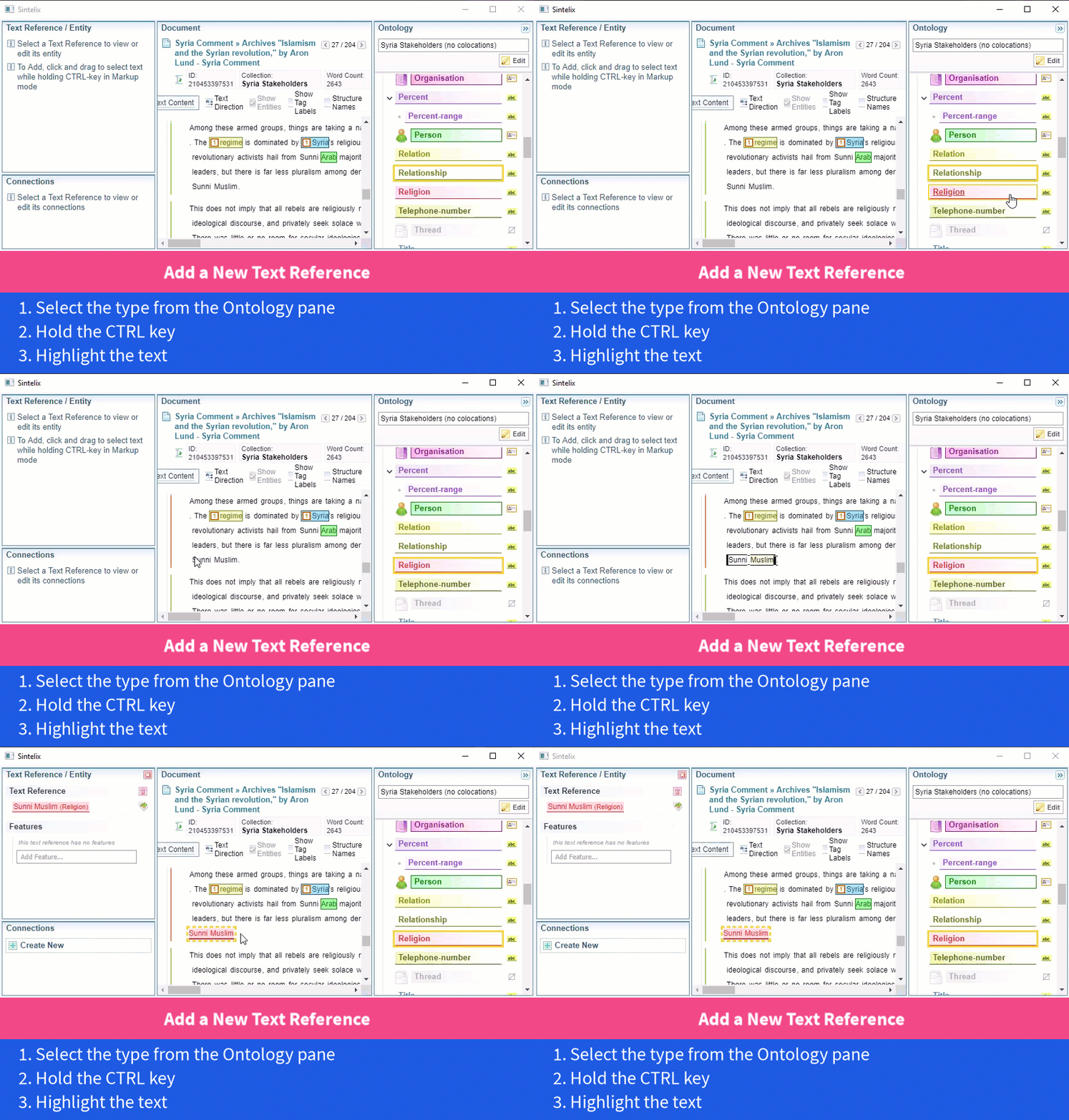
-
Create Connections - Click Create New from the Text Reference/Entity > Connections section. Select a connection type from the dropdown, fill the required details and click Create
-
Edit the text - Select Text Content as shown in the following example. Select the Edit Text option to open the Text Editor. Make the required changes and then select Save.
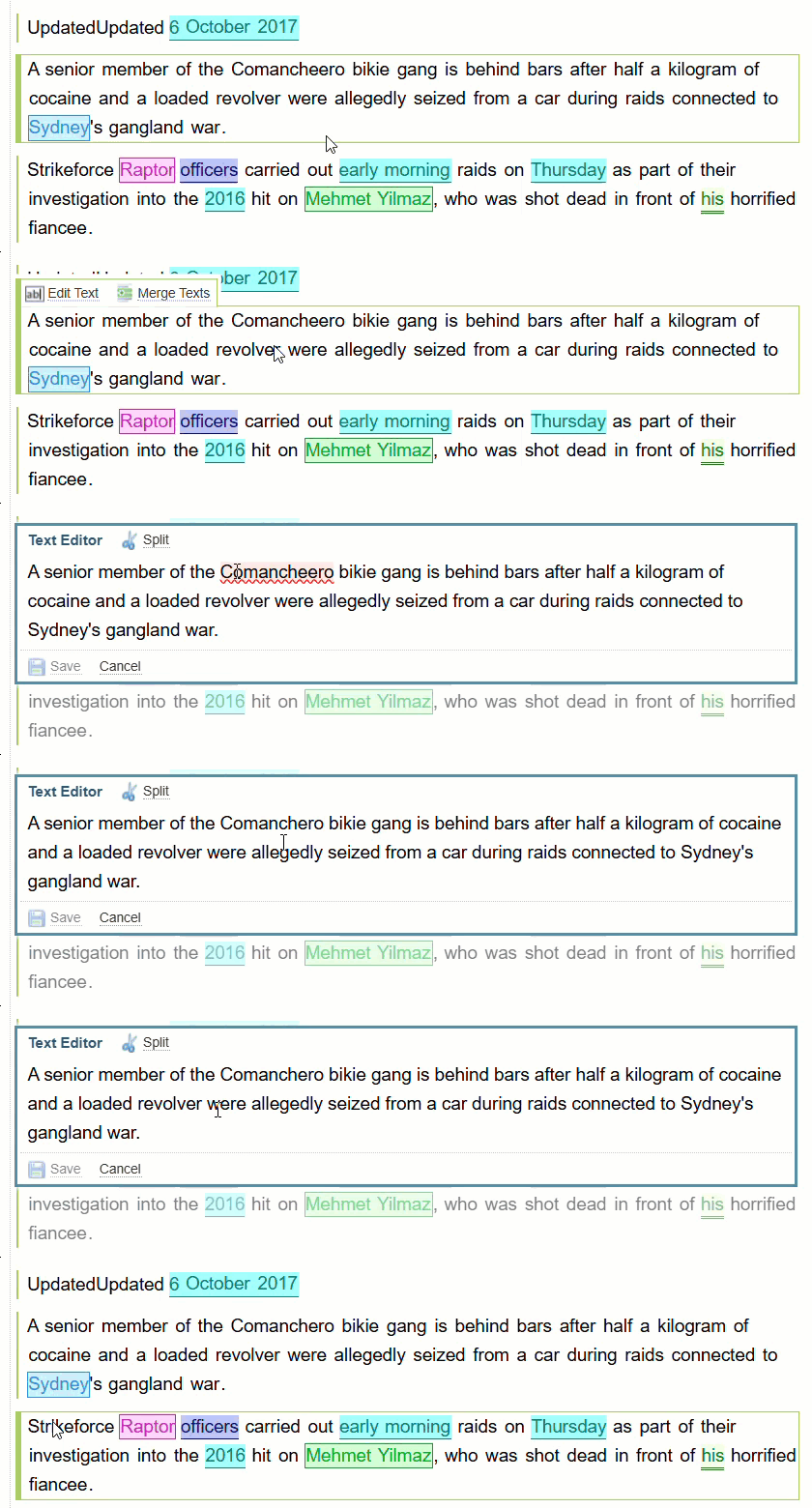
Shortcut Menu
When a Text Reference selected, you can right click to display the shortcut menu:
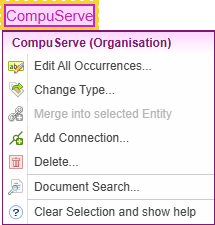
What you can do
When editing a document, you can:
Document Model
Sintelix document model has two layers of data:
- text references, and
- entities.
Text references are marked up spans of text, easily visible on document view. They're not copied to the Network by default.
Entities are groups of text references within a document. They correspond to all the mentions of the same object (distinct Person, Organisation, etc) and group all the information about that object.
Entities and their features are copied to the network by default.
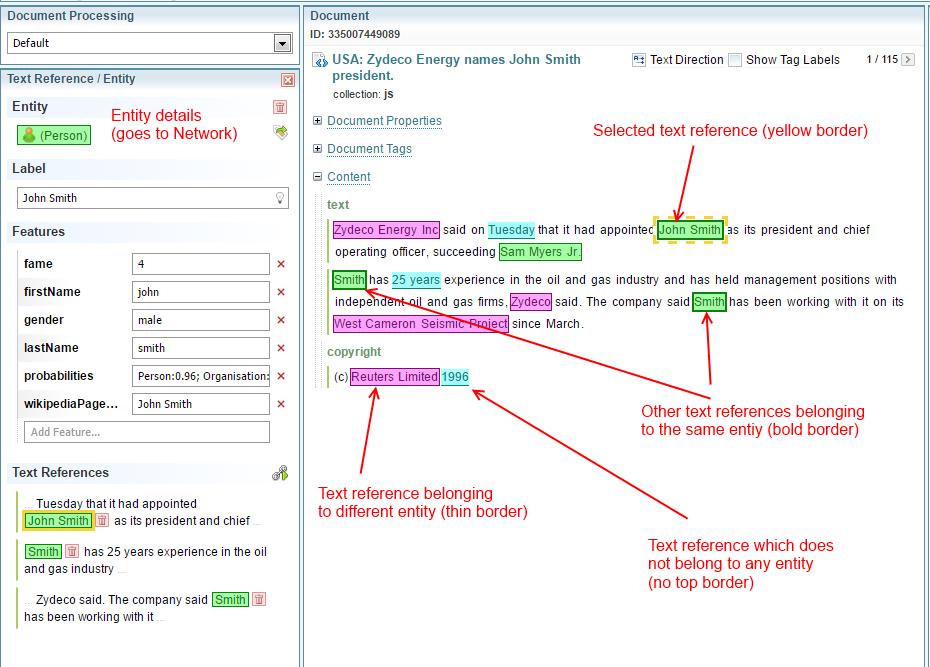
Document editing is performed mostly by adding, removing, and, changing the type of text references.
However, because it is entity, and not text references that form a network, the end goal of document editing is to produce correct entity information.
Not all text references need to be grouped into an entity. The Document Processing Configuration output table contains a column Document Entity Resolution which decides for each type, whether that type forms and entity.
Document editing enforces that table by ensuring that all text references that need to form an entity do so.